Admin: Remove all permissions from a user
From the Club module, remove all permissions from a staff member on every team they had access to.
Administrator rights required
This action requires administrator rights. If you do not have access, ask the account owner or contact our support team at support@mycoachpro.io.
Remove the permissions
-
Click the Club module.
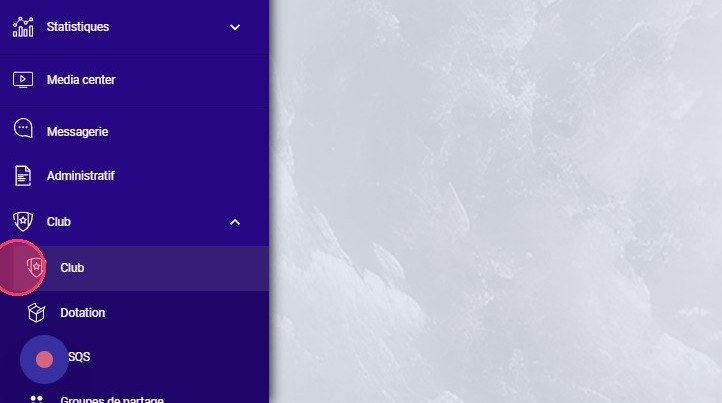
The Club module
-
Go to the Staff tab.
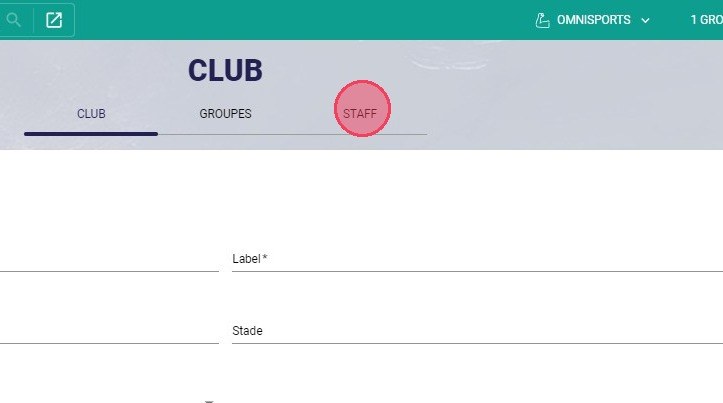
The Staff tab
-
On the staff member's row, click the gear icon, then click Remove all permissions.
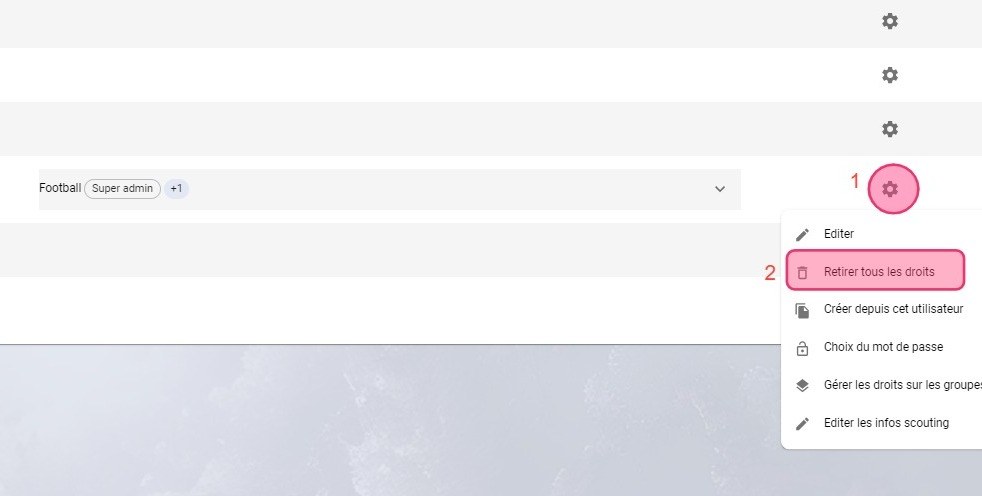
The Remove all permissions option
Remove permissions on a single teamTo remove permissions for a specific team, use the Manage permissions on teams / groups option instead.
See also
To create a staff member and give them permissions, see Add a new staff member.
Need help
Email support@mycoachpro.io with any questions about managing staff permissions.