Explore competitions
The Competitions module gives you access to:
- competition standings and fixtures;
- match pages: summary, statistics, lineups, video analysis and the Report BI report.
Find a competition
-
In the Scouting menu, open Competitions.
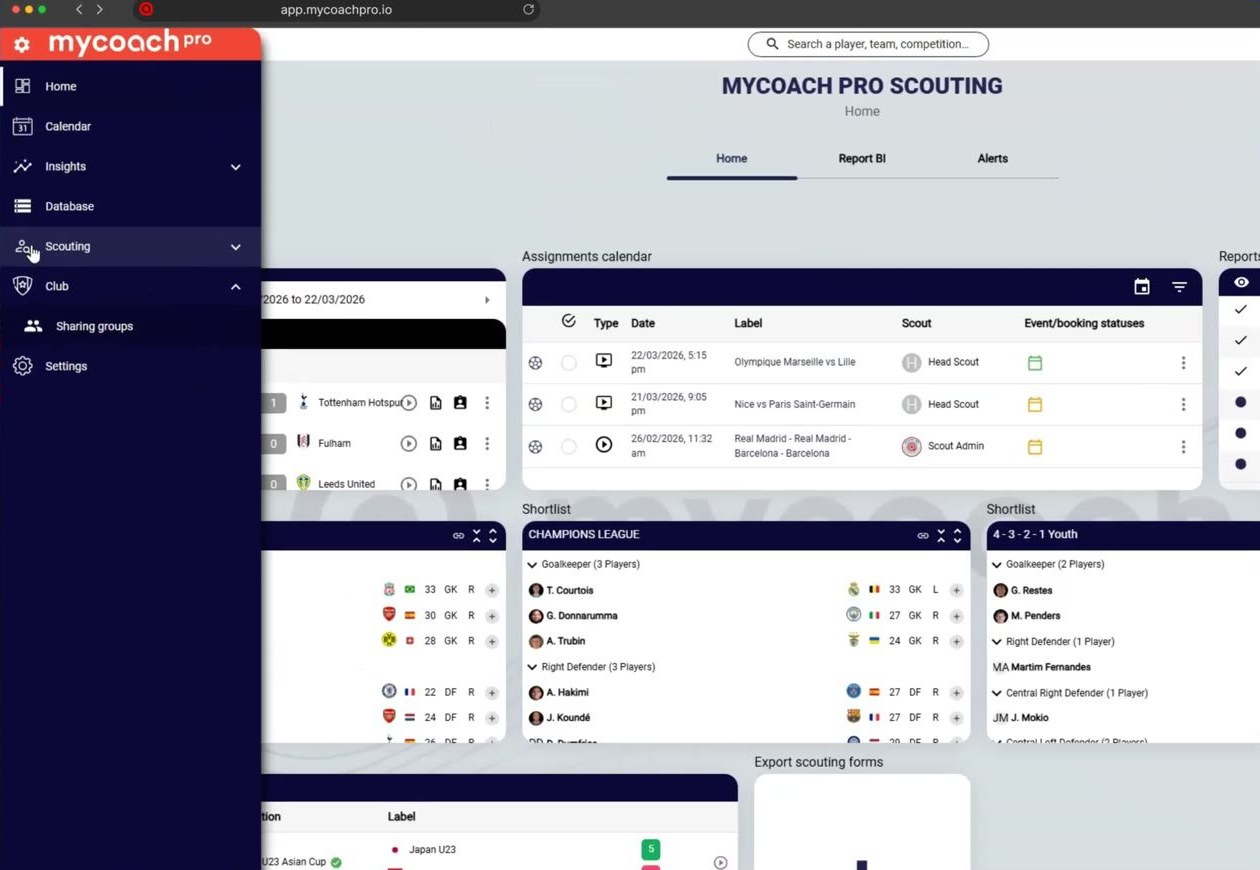
In the Scouting menu, open Competitions
-
Choose a confederation, a country, then a competition.
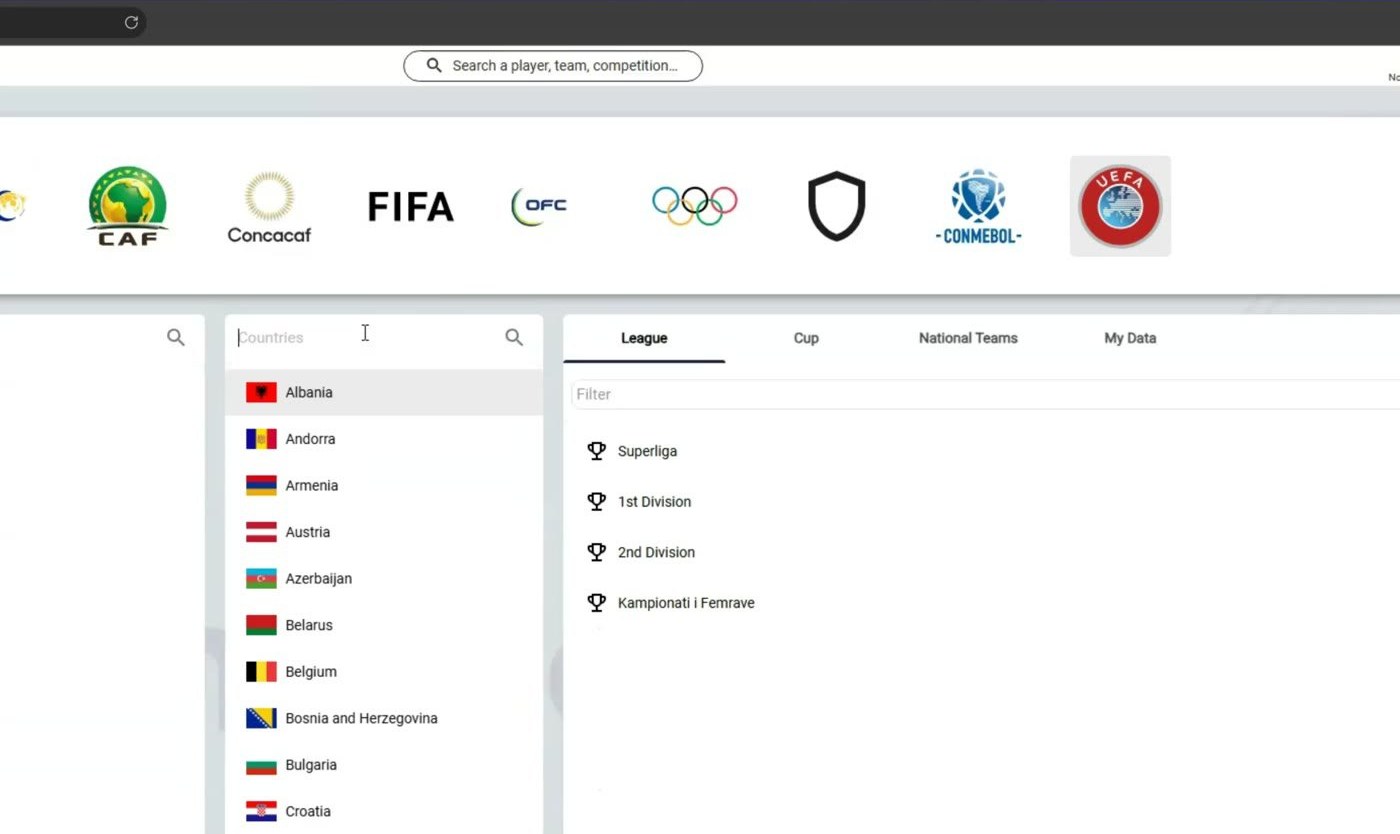
Choose a confederation, a country, then a competition
-
View the competition's standings and fixtures.
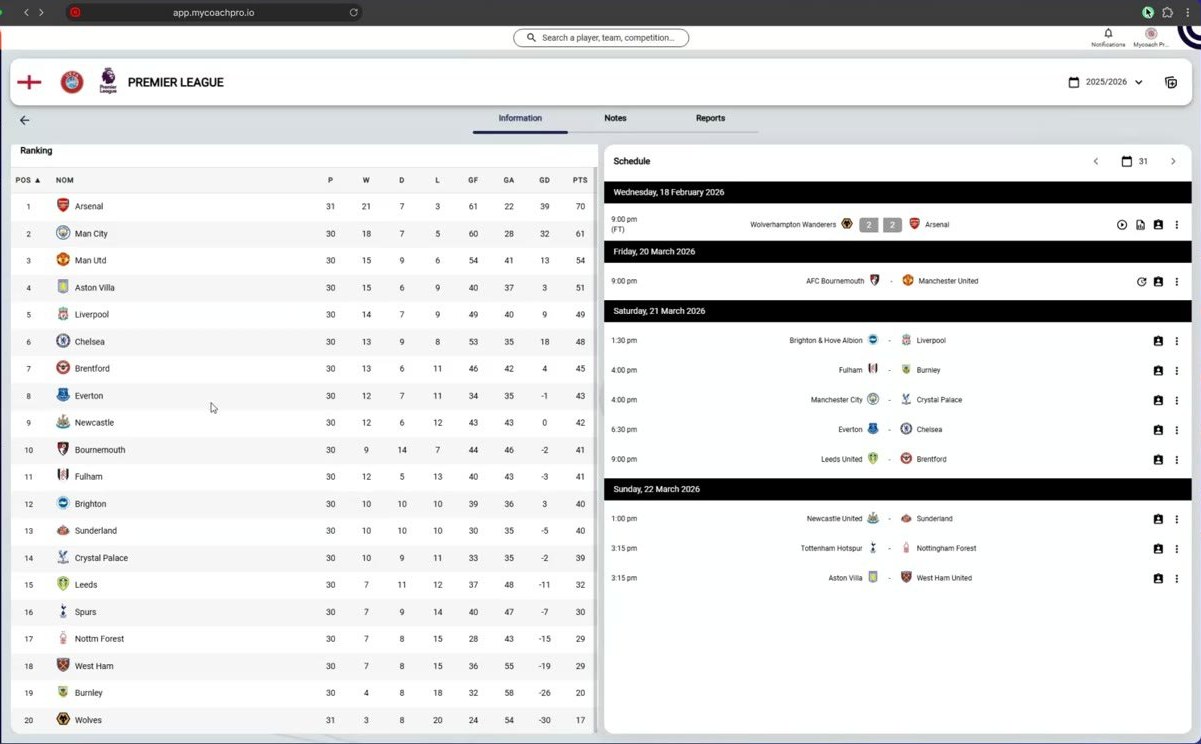
View the competition's standings and fixtures
Explore a match page
-
Click a match to open its page.
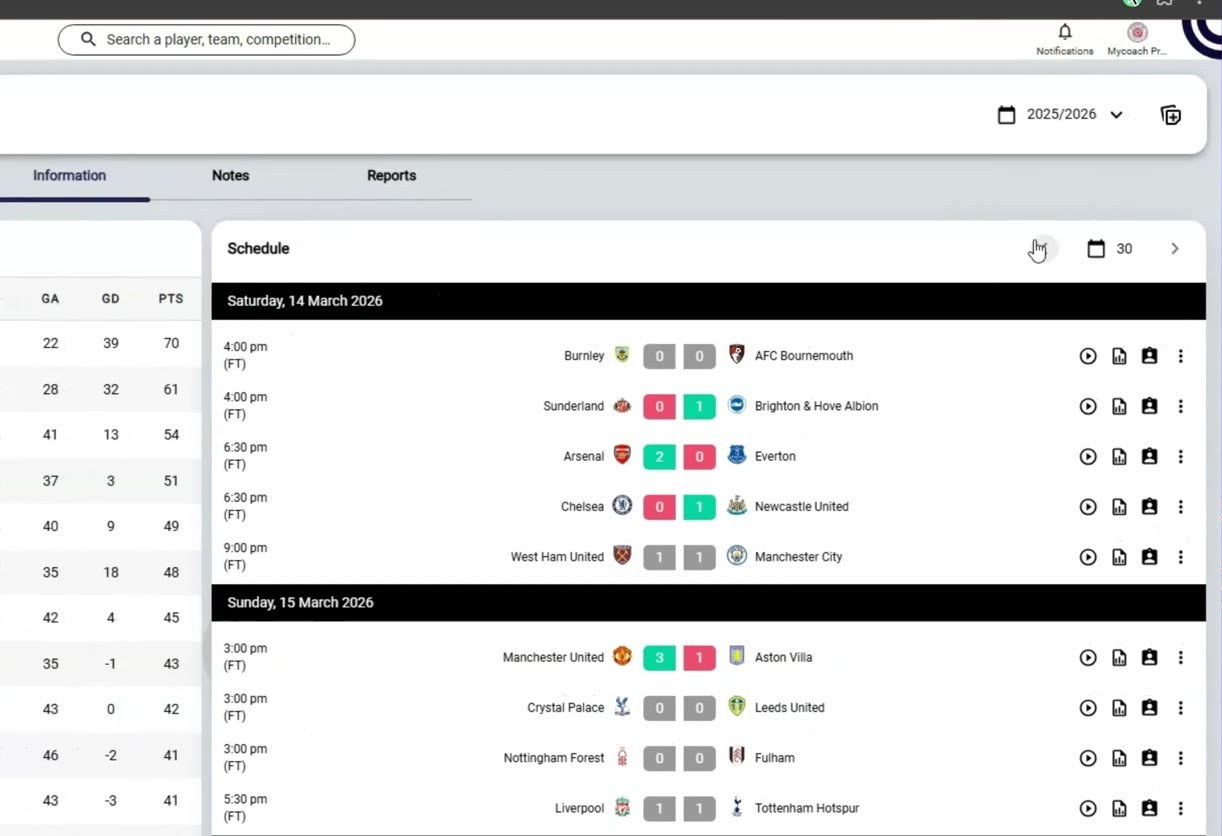
Click a match to open its page
-
Game summary: video, lineups and timeline.
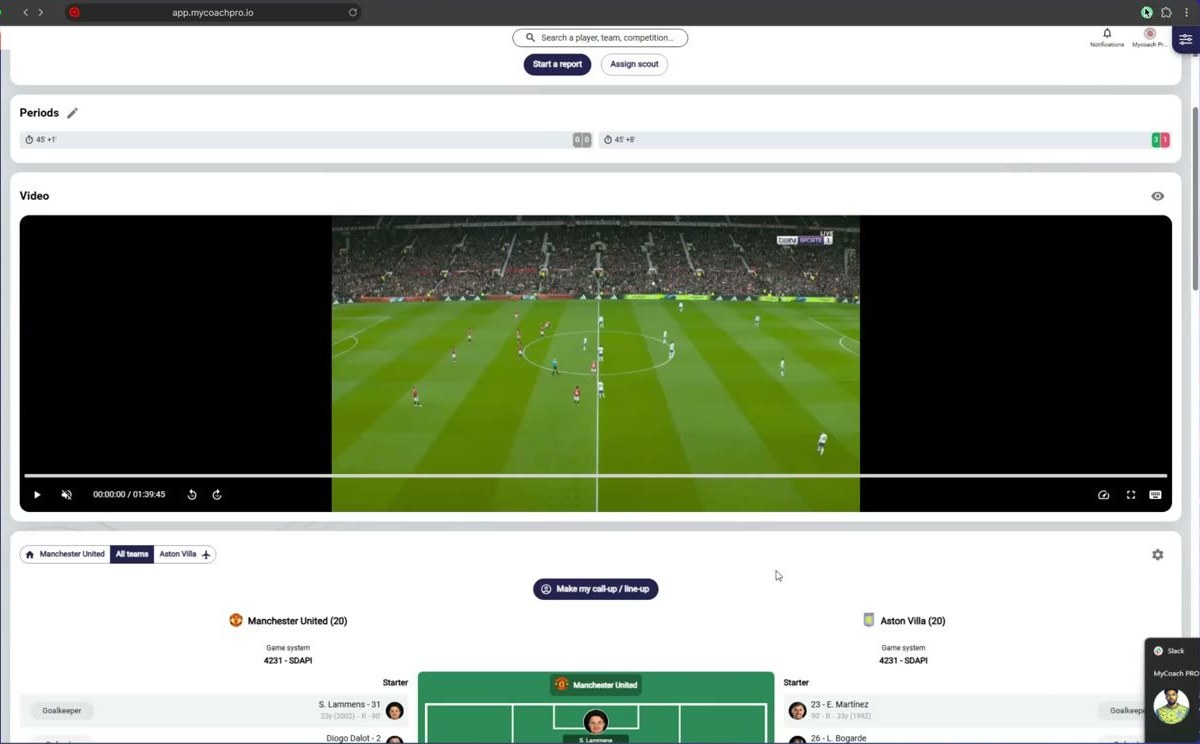
Game summary: video, lineups and timeline
-
Statistics tab: player statistics.
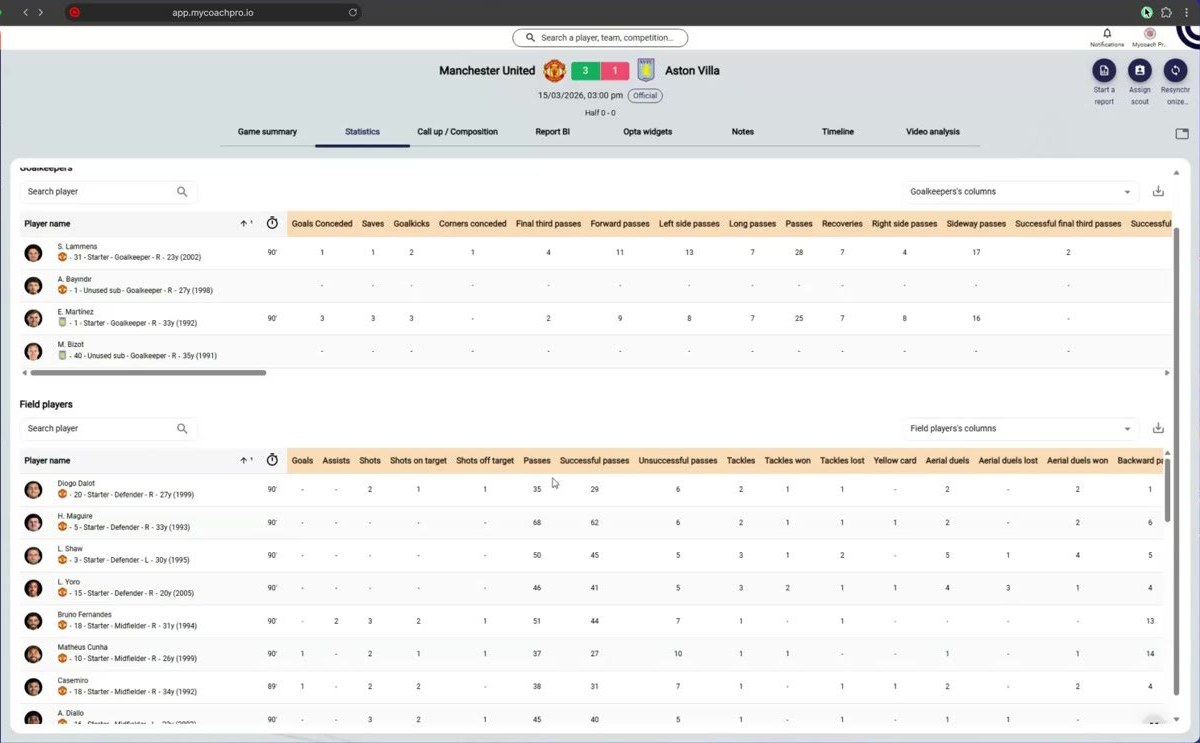
Statistics tab: player statistics
-
Call up / Composition tab.
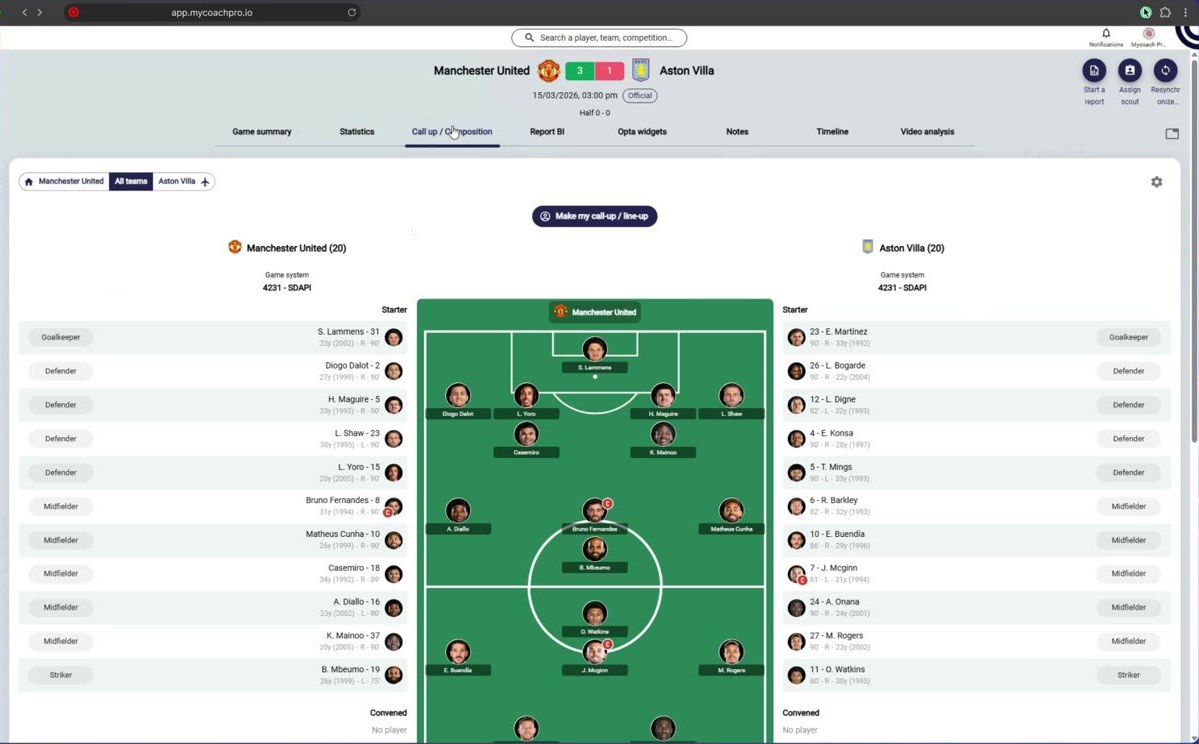
Call up / Composition tab
-
Video analysis tab: find every action on video.
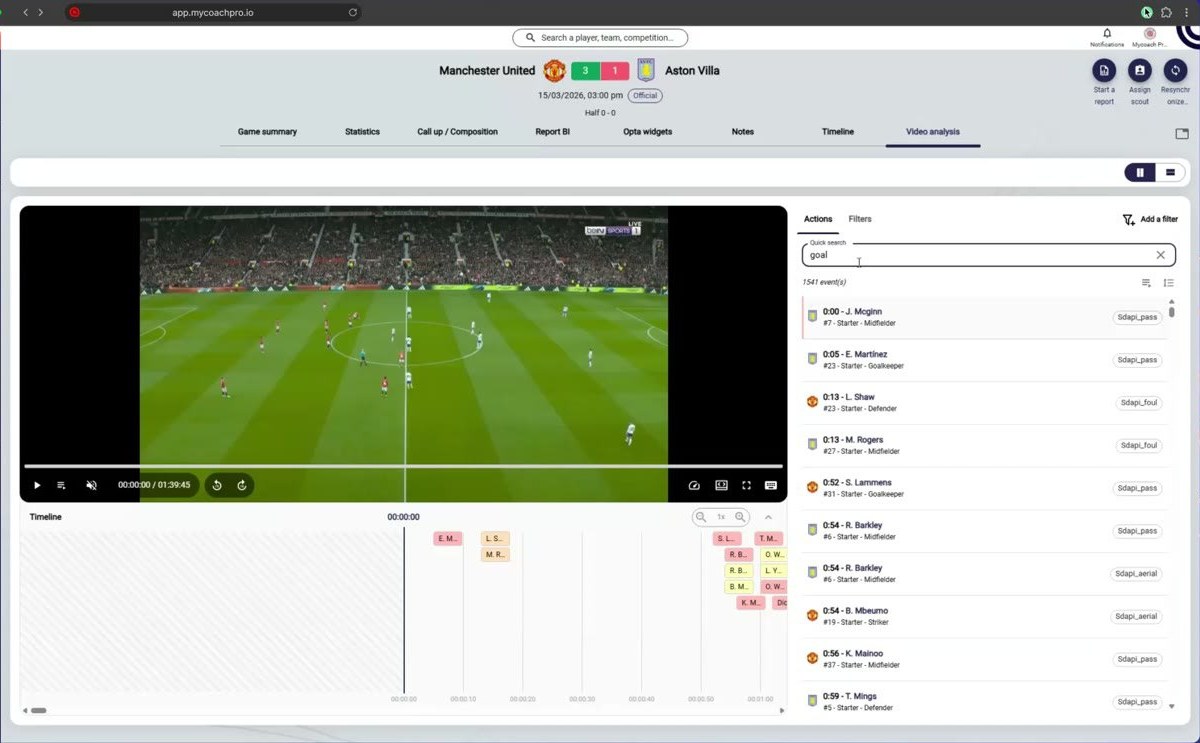
Video analysis tab: find every action on video
-
Report BI tab: the match report.
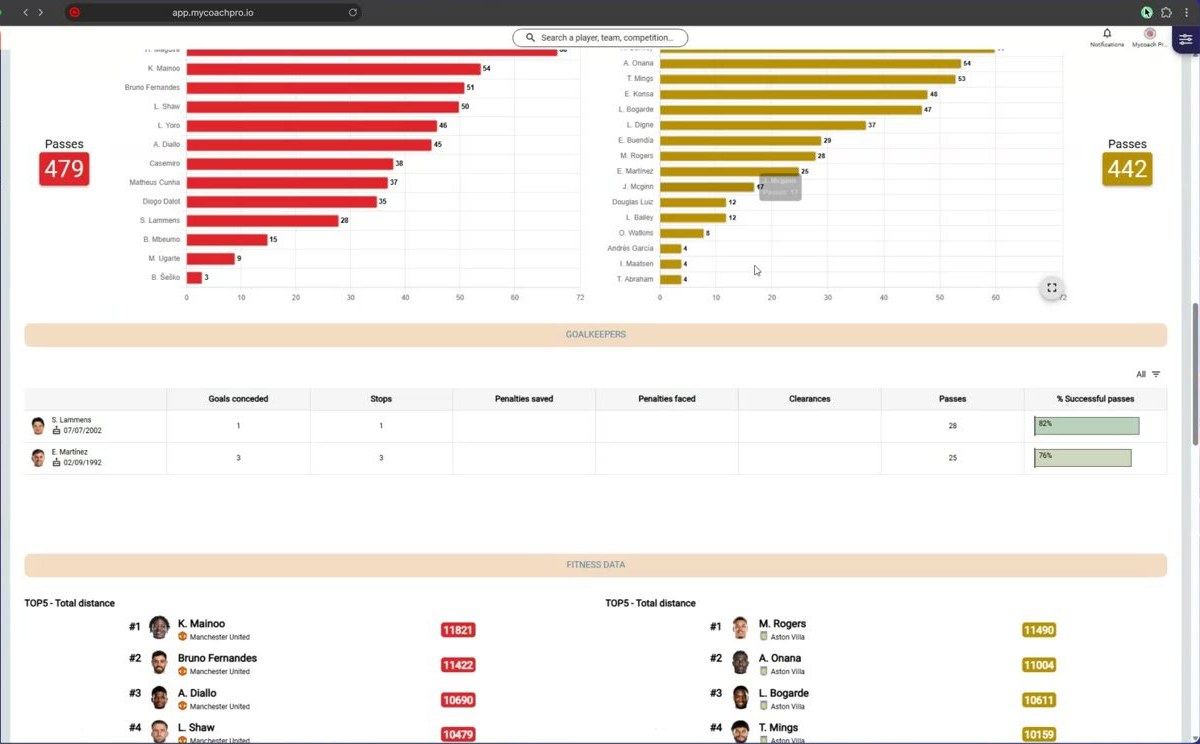
Report BI tab: the match report
From a team's fixtures, you can assign a scout to a match.
Need help
Email support@mycoachpro.io with any questions about competitions and matches.