Assign a scout
From a team's calendar, you can assign a scout to a match. You choose:
- the scout;
- the report type;
- the form;
- the players to observe.
To assign several matches in one go, from the Opta fixtures, use observation planning instead.
Assign a scout step by step
-
On the team's calendar, find the match.
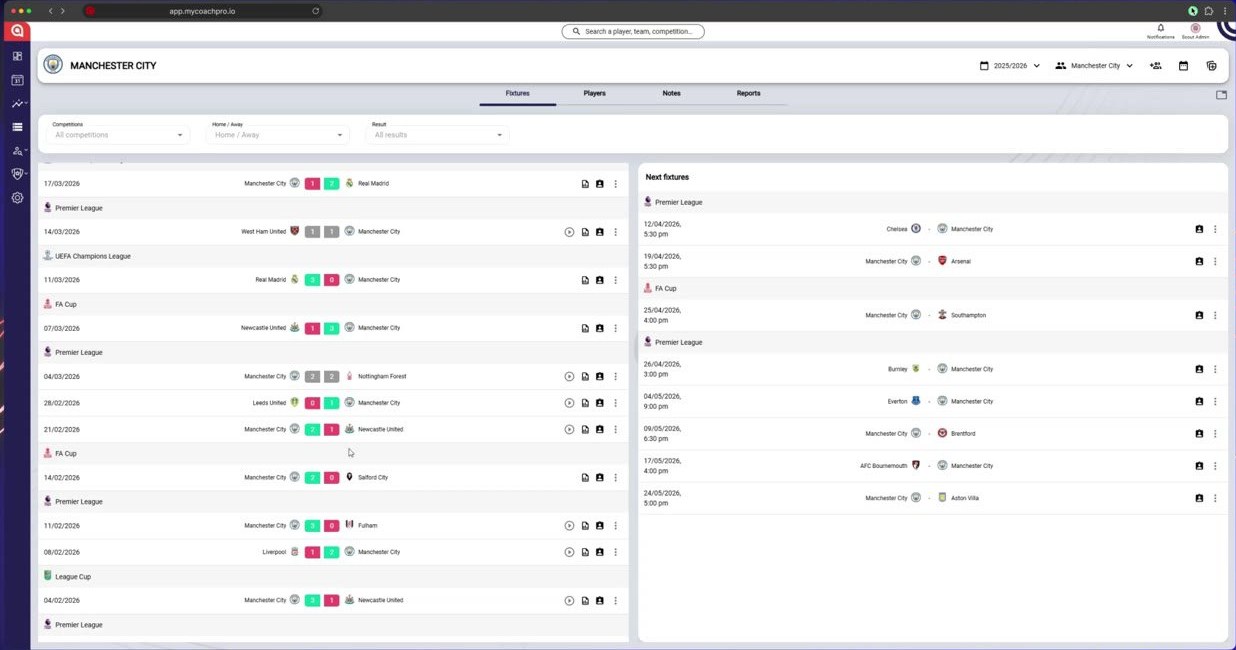
On the team's calendar, find the match
-
In the match menu, click Assign scout.
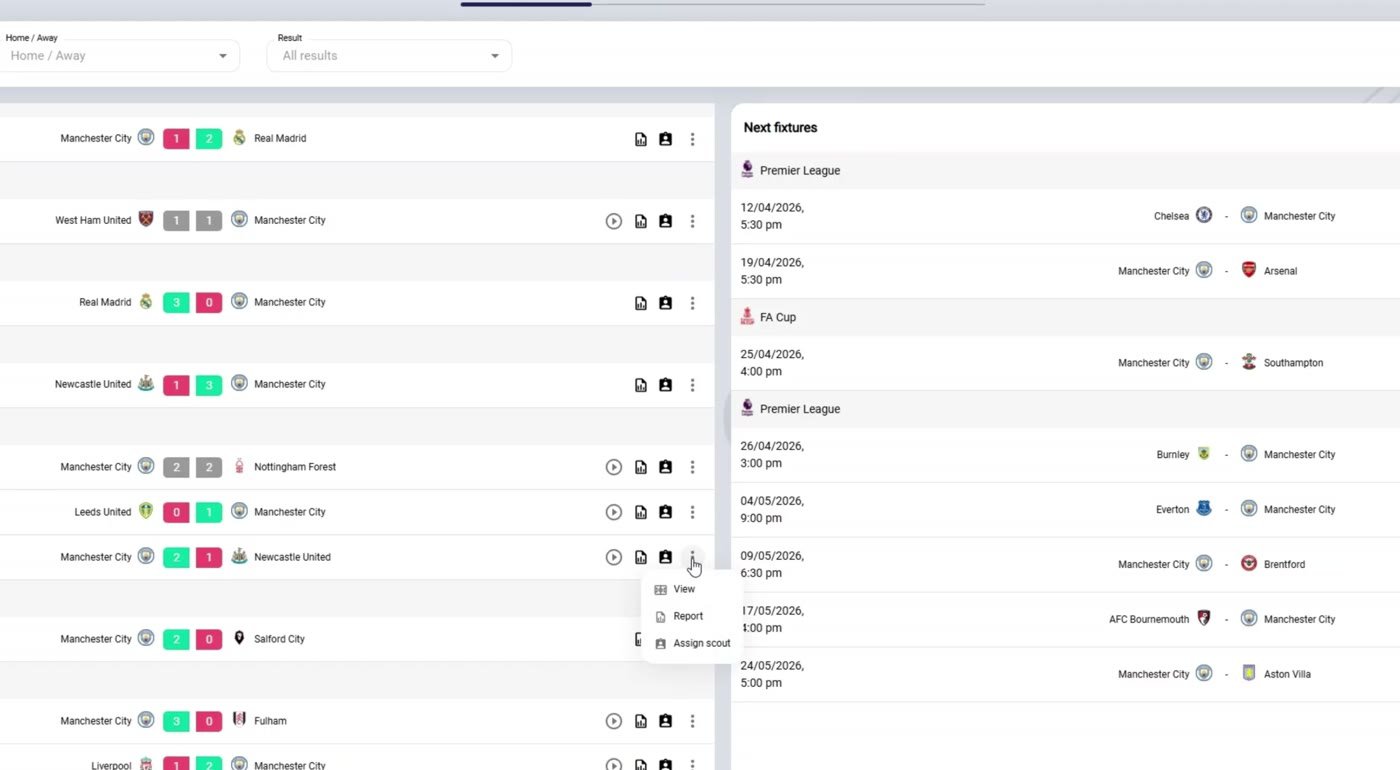
In the match menu, click Assign scout
-
Fill in the scout, the report type and the form.
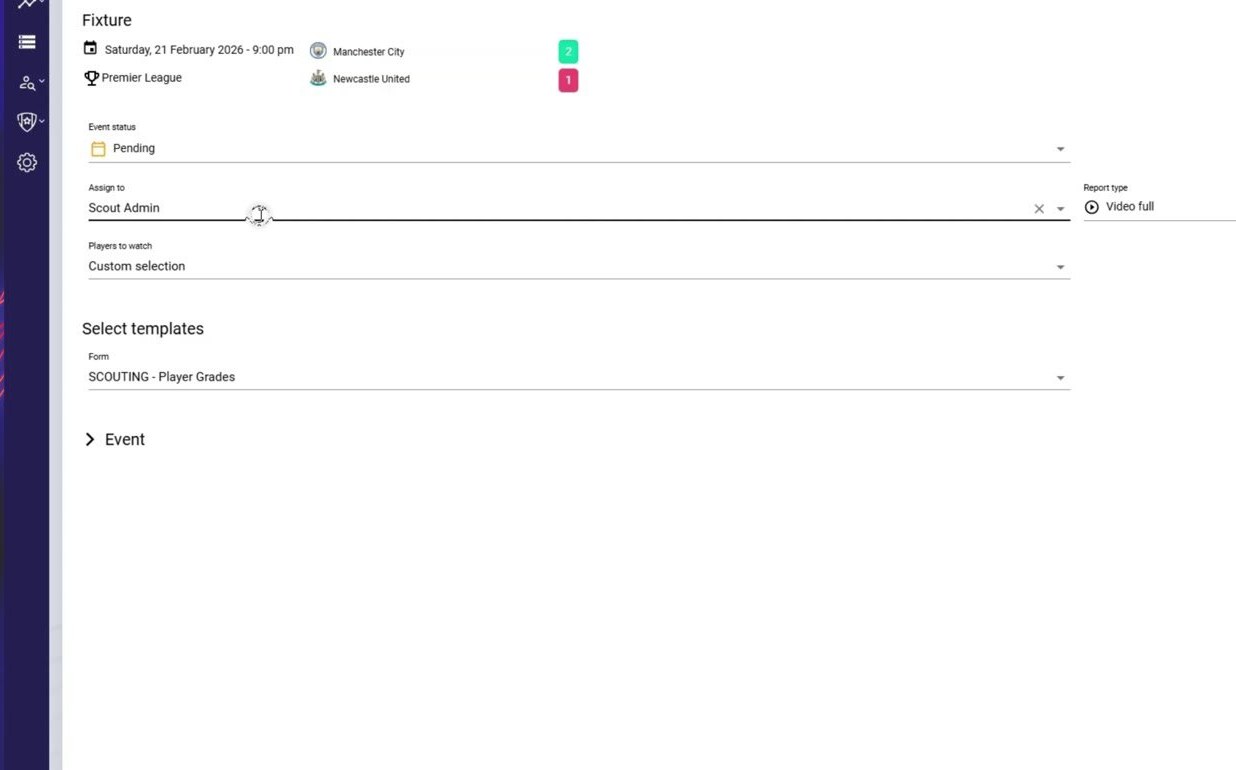
Fill in the scout, the report type and the form
-
Choose the players to observe, then click Next.
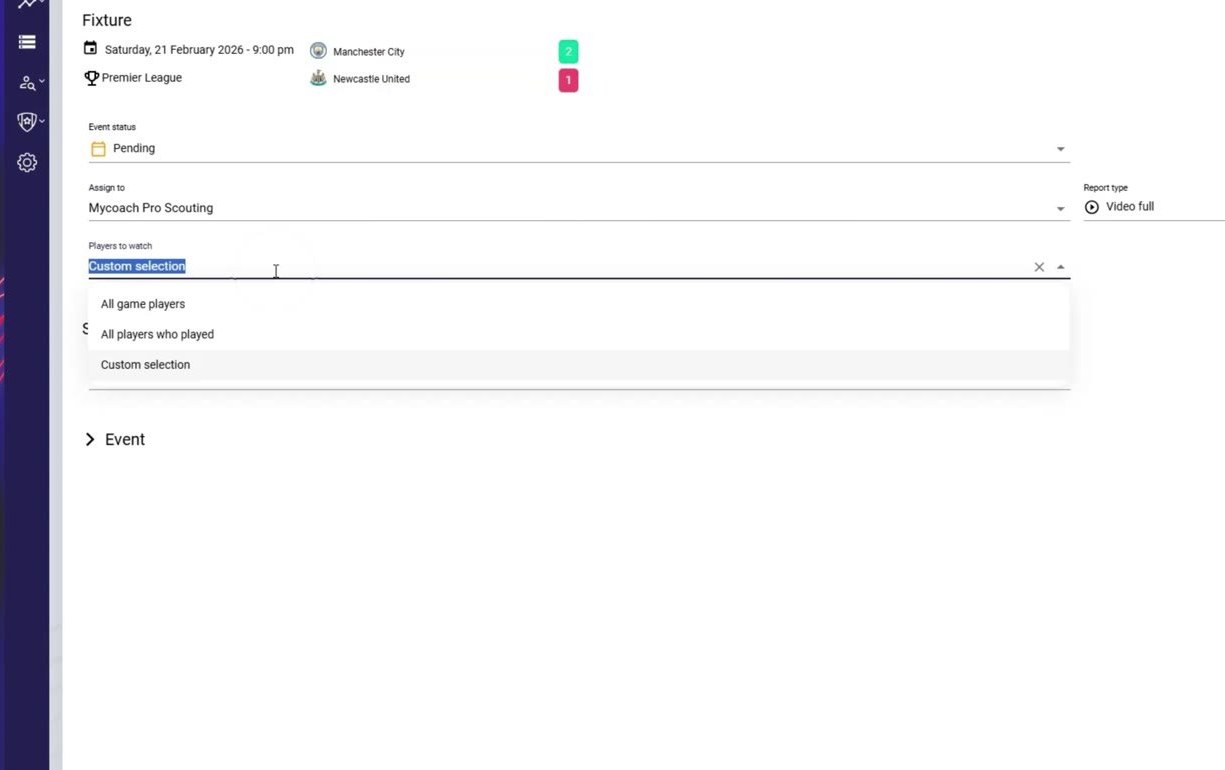
Choose the players to observe, then Next
-
Select the players to observe.
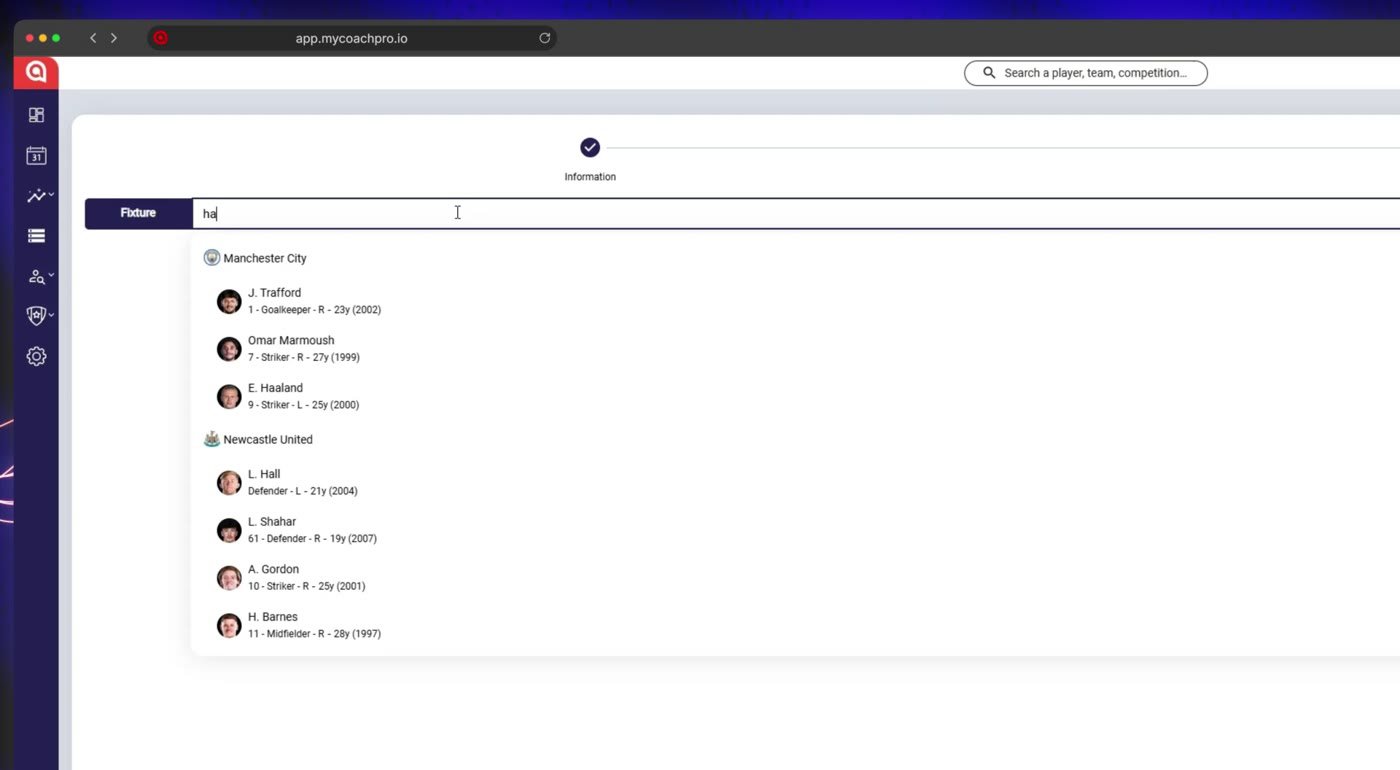
Select the players to observe
-
Click Save.

Click Save
-
The assignment appears on the match page.
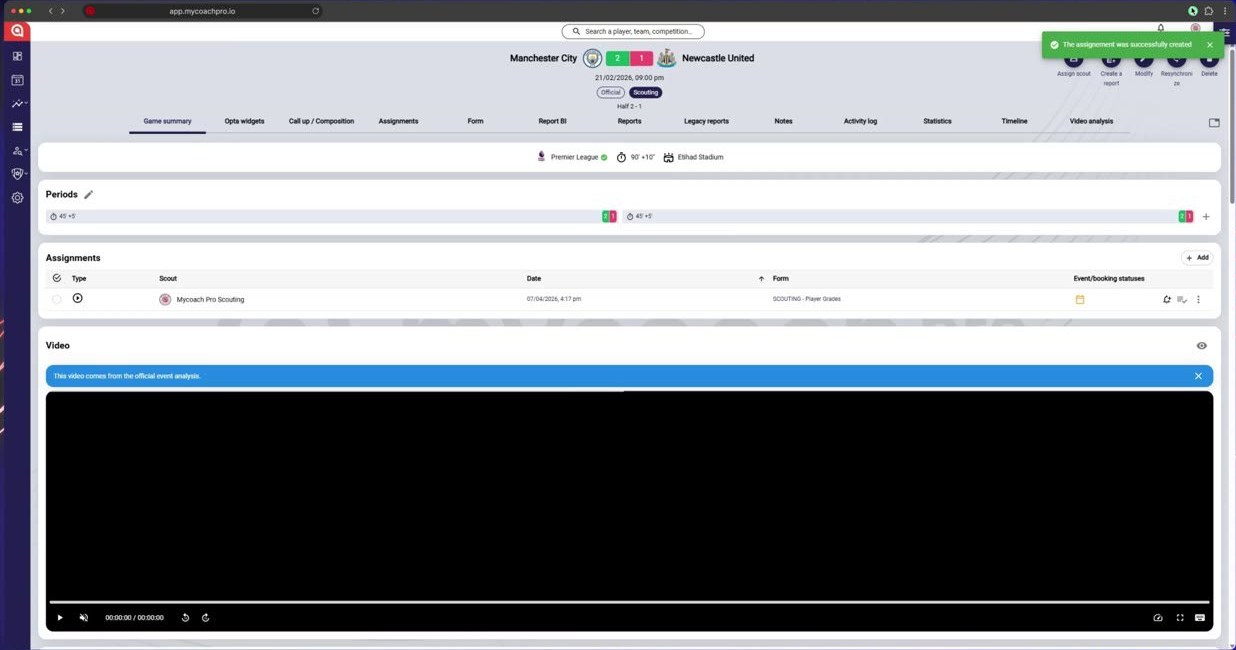
The assignment appears on the match page
The assigned scout can then fill in their report.
Need help
Email support@mycoachpro.io with any questions about assigning scouts.