Players management
Players management shows the players you follow as cards, with quick actions:
- rating;
- status;
- adding to a shortlist;
- creating an observation.
Rate a player
-
In the Scouting menu, open Players management.
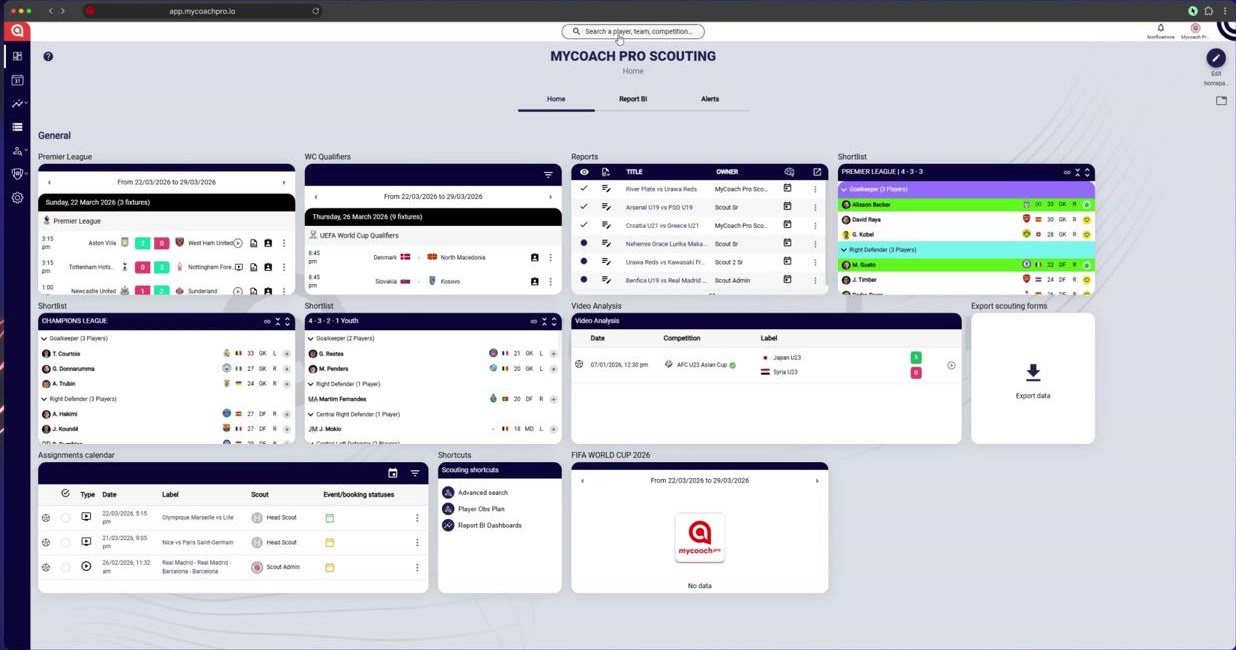
In the Scouting menu, open Players management
-
Each card shows the player and their quick actions.
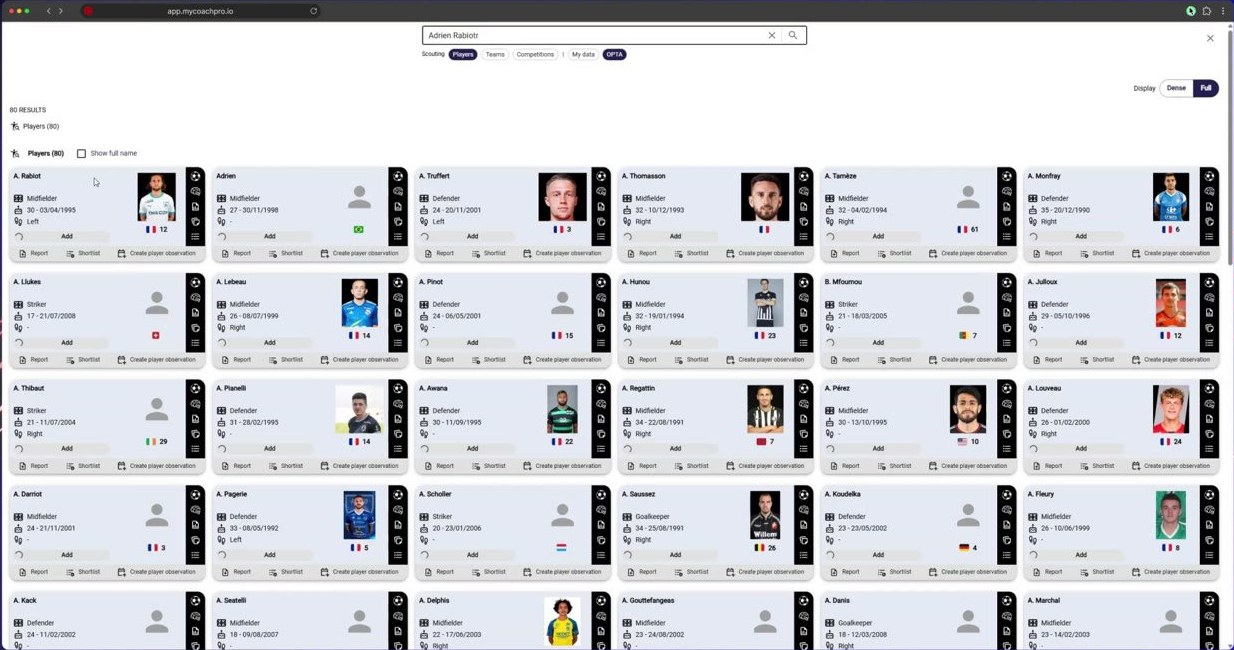
Each card shows the player and their quick actions
-
Give the player a rating or a status.
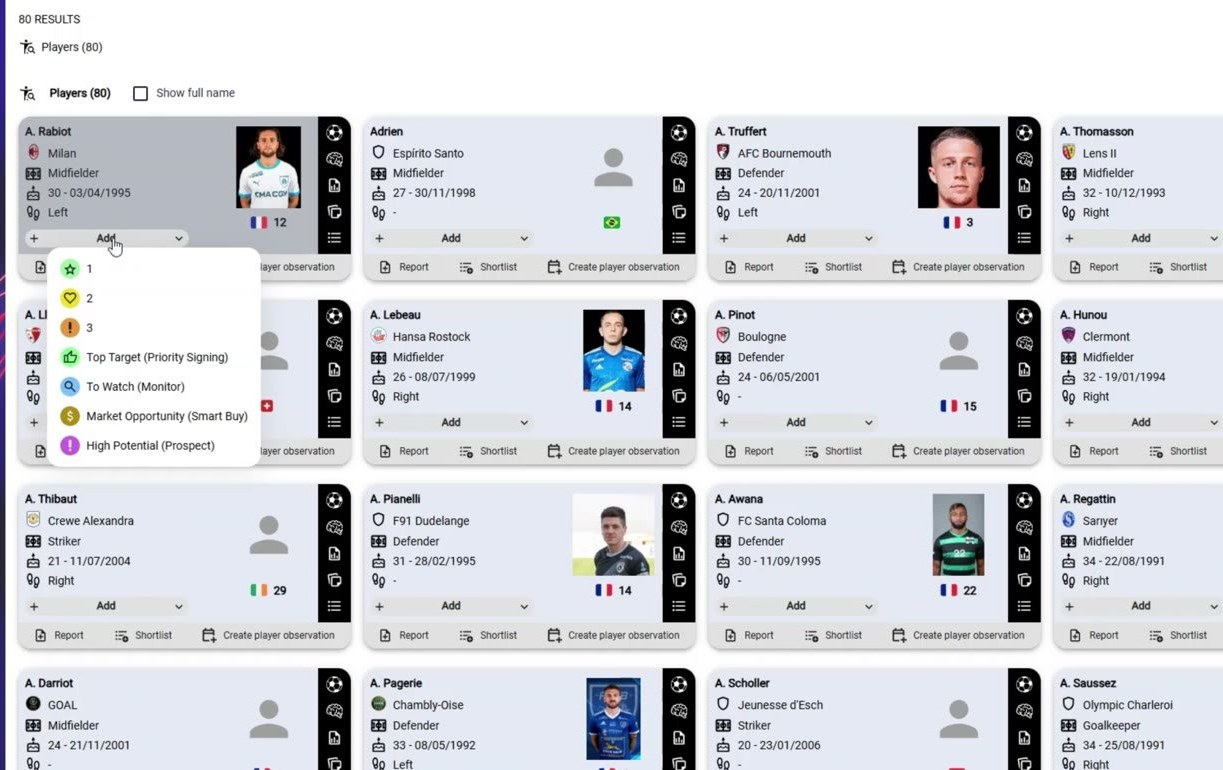
Give the player a rating or a status
Add a player to a shortlist
-
Click Shortlist to add the player to a shortlist.
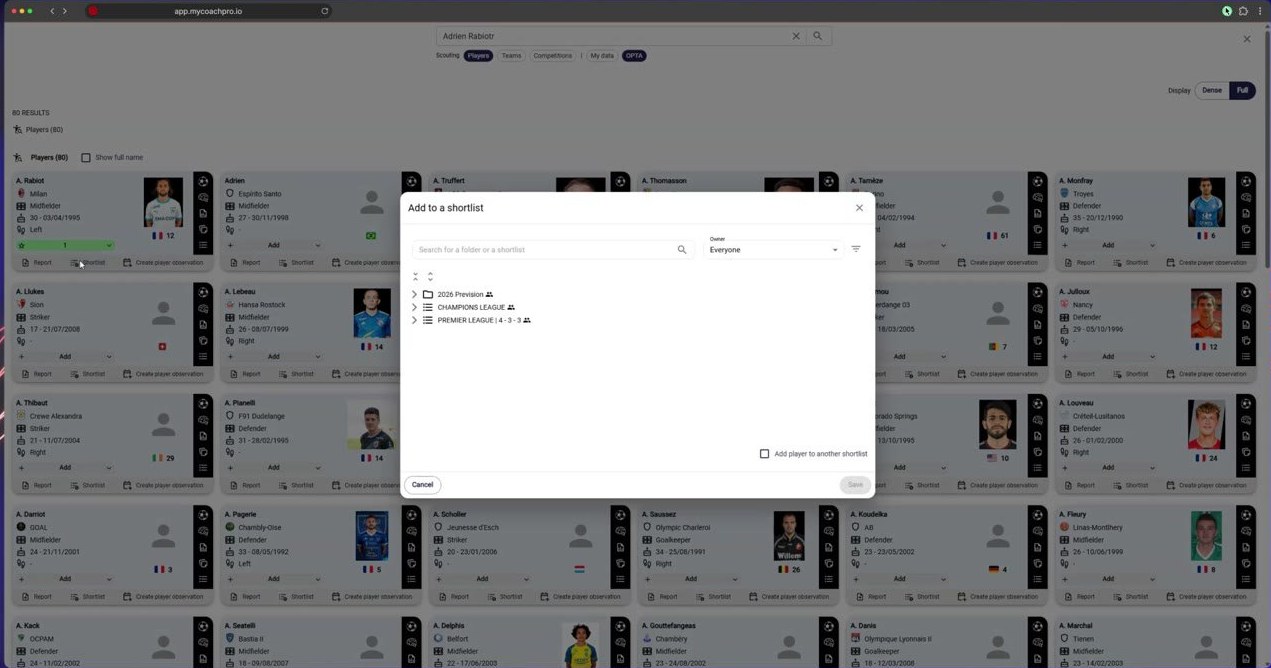
Click Shortlist to add the player to a shortlist
-
Choose the shortlist and the category, then confirm.
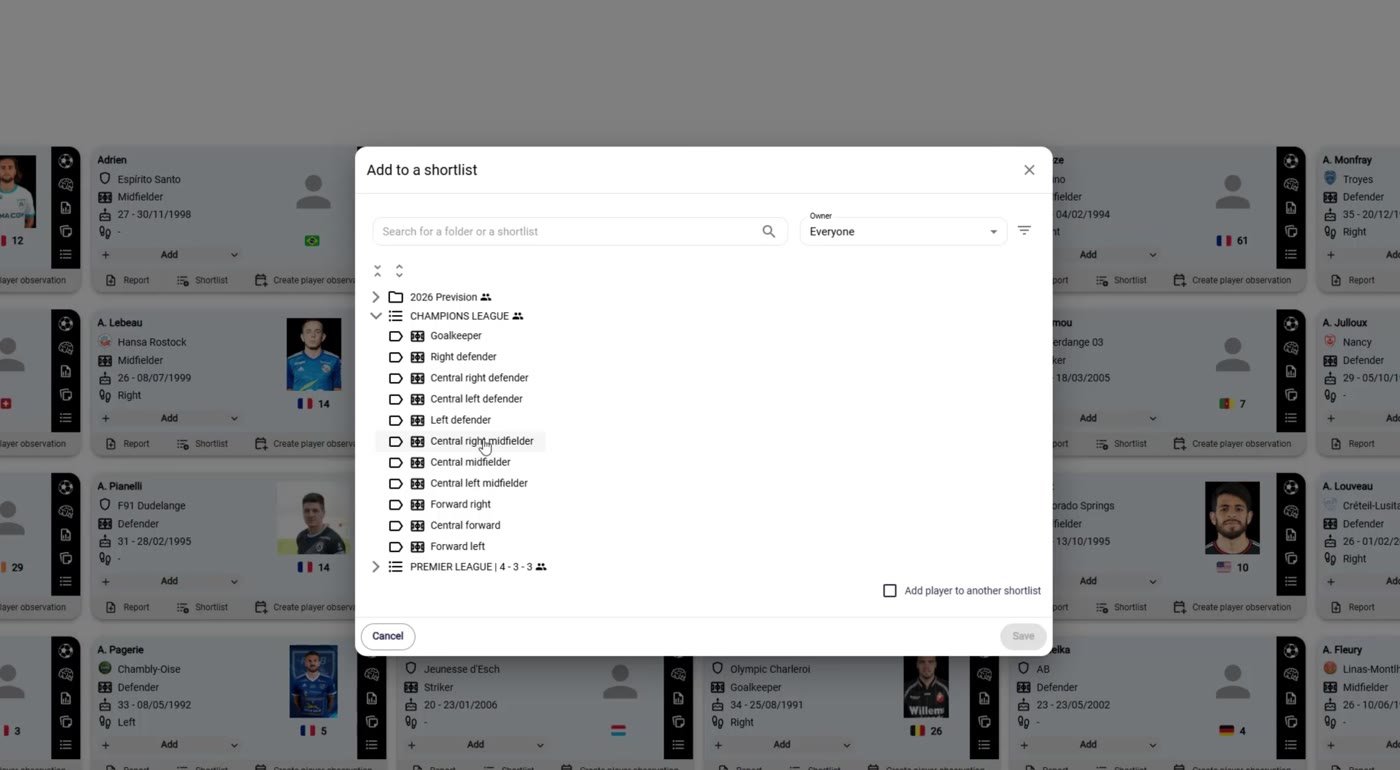
Choose the shortlist and the category, then confirm
-
The player is added to the shortlist.
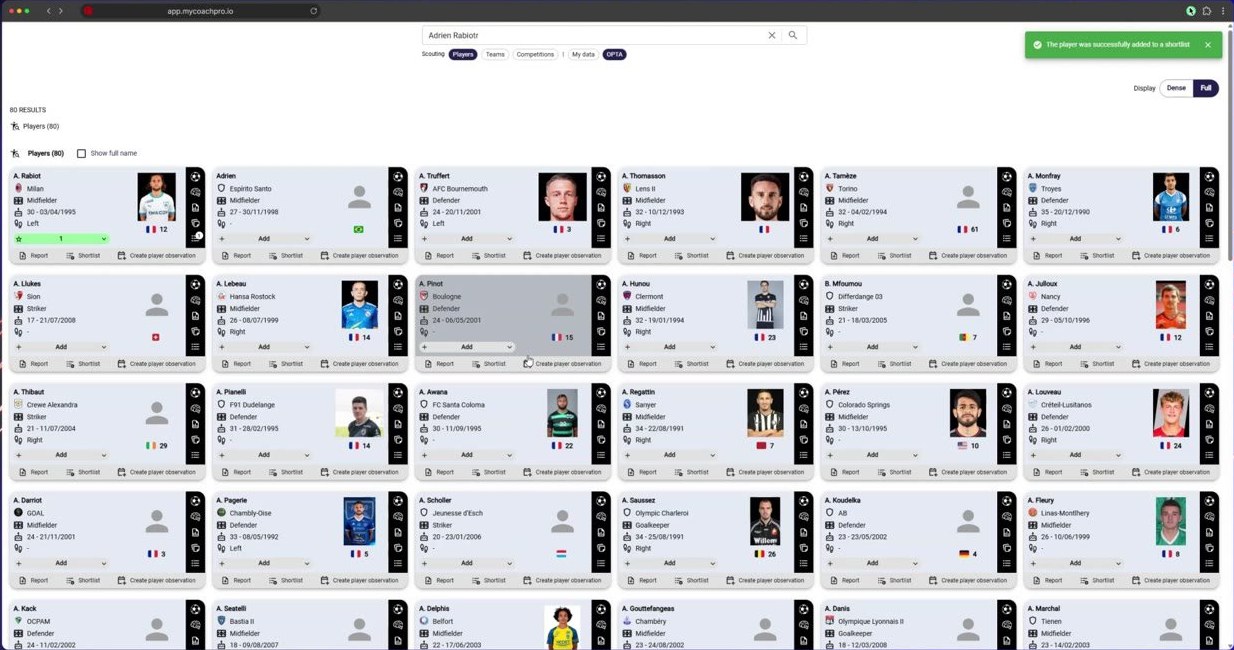
The player is added to the shortlist
-
On the player's profile, the Shortlists tab lists their shortlists.
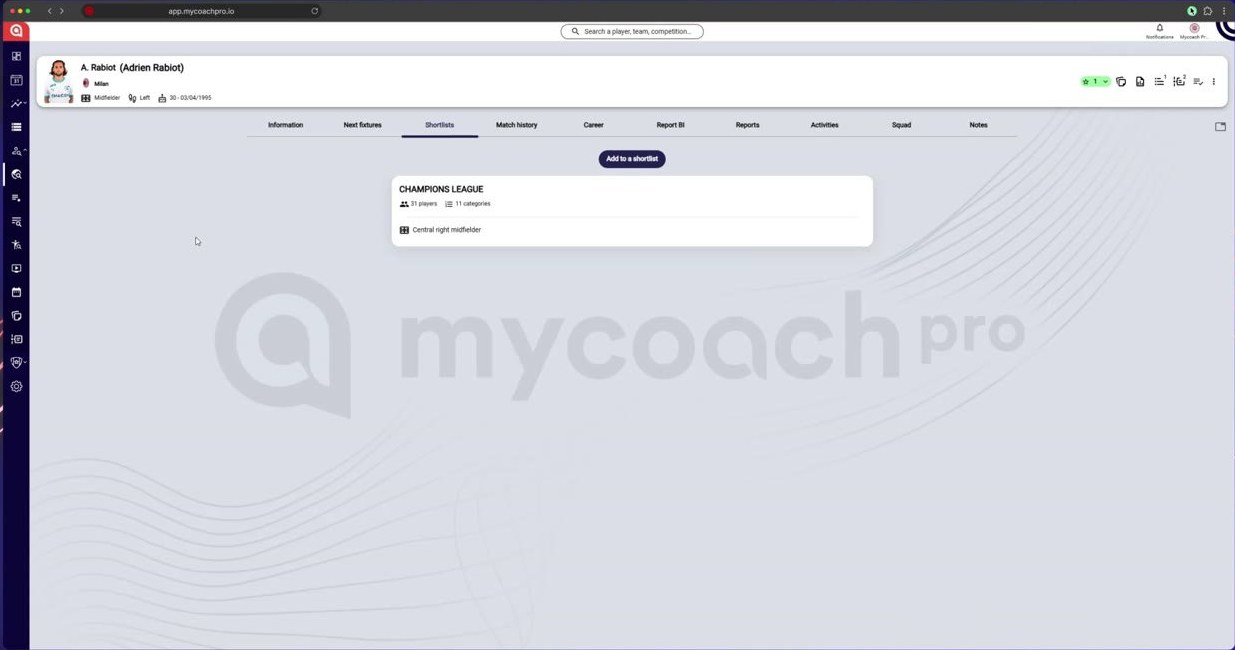
On the player's profile, the Shortlists tab lists their shortlists
-
Open the shortlist: the player appears in their position.
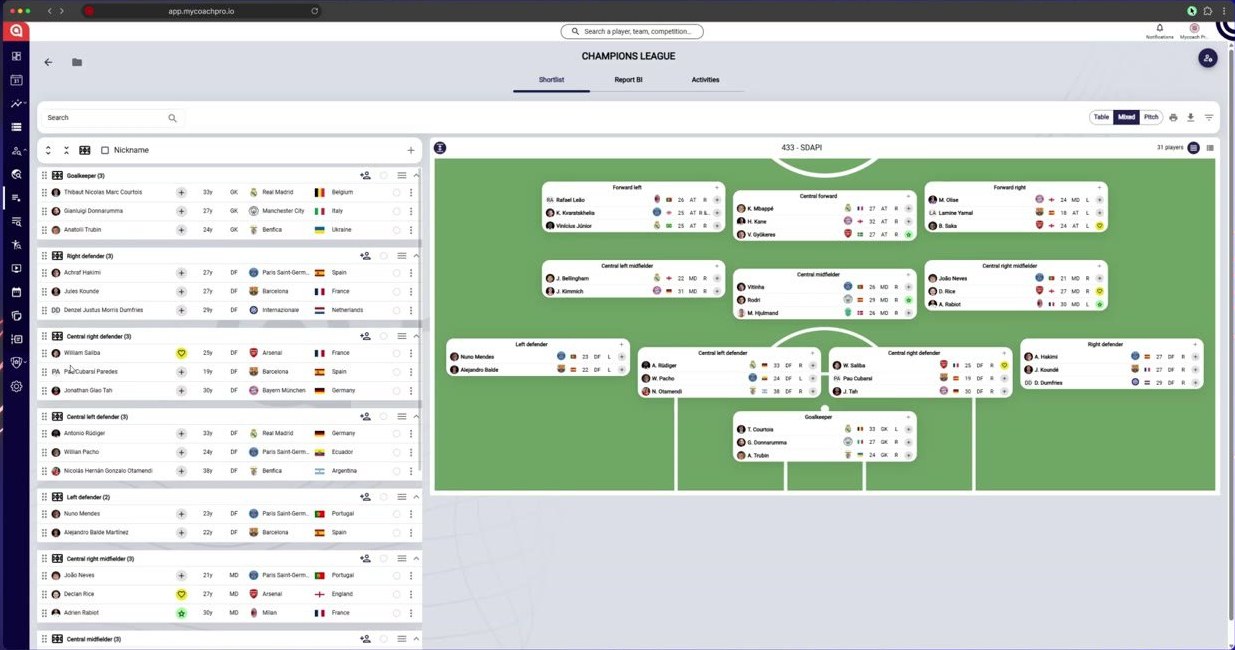
Open the shortlist: the player appears in their position
To organize a shortlist's players, share it or file it in a folder, see Manage your shortlists.
Need help
Email support@mycoachpro.io with any questions about managing players.