Advanced search
Advanced search lets you find players by combining:
- profile criteria: gender, positions, age, weight, height;
- subjective data from reports.
Run a search step by step
-
In the Scouting menu, open Advanced search.
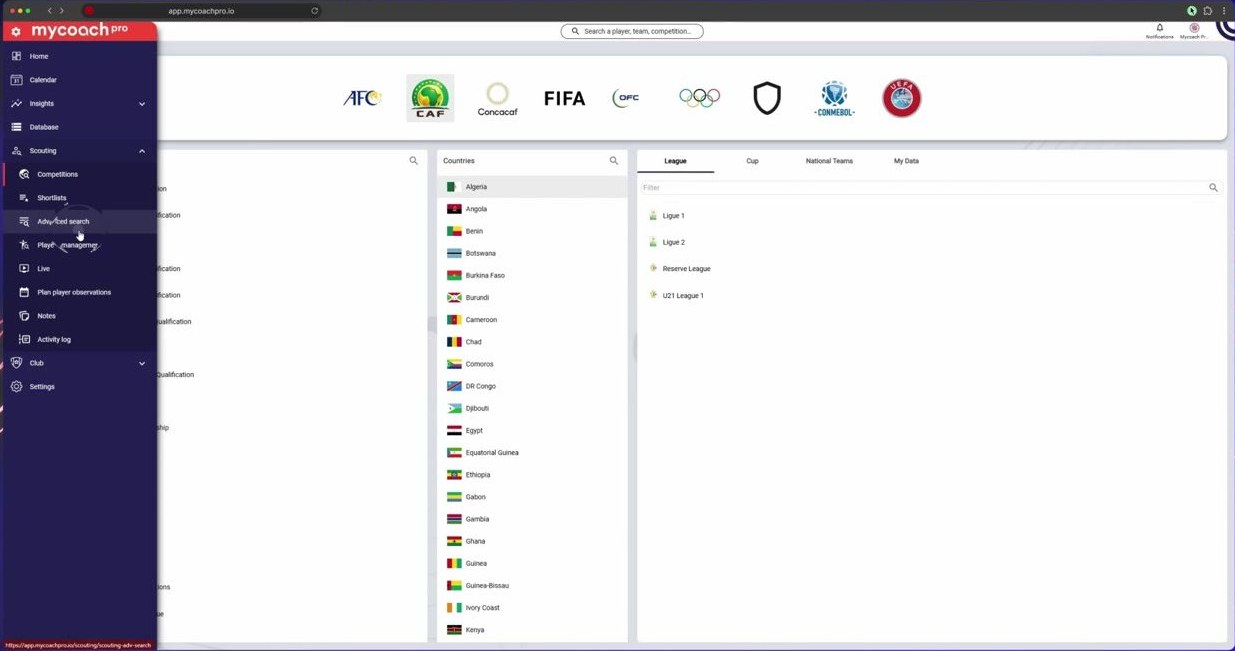
In the Scouting menu, open Advanced search
-
Player bio filter: gender, positions, age, weight, height.
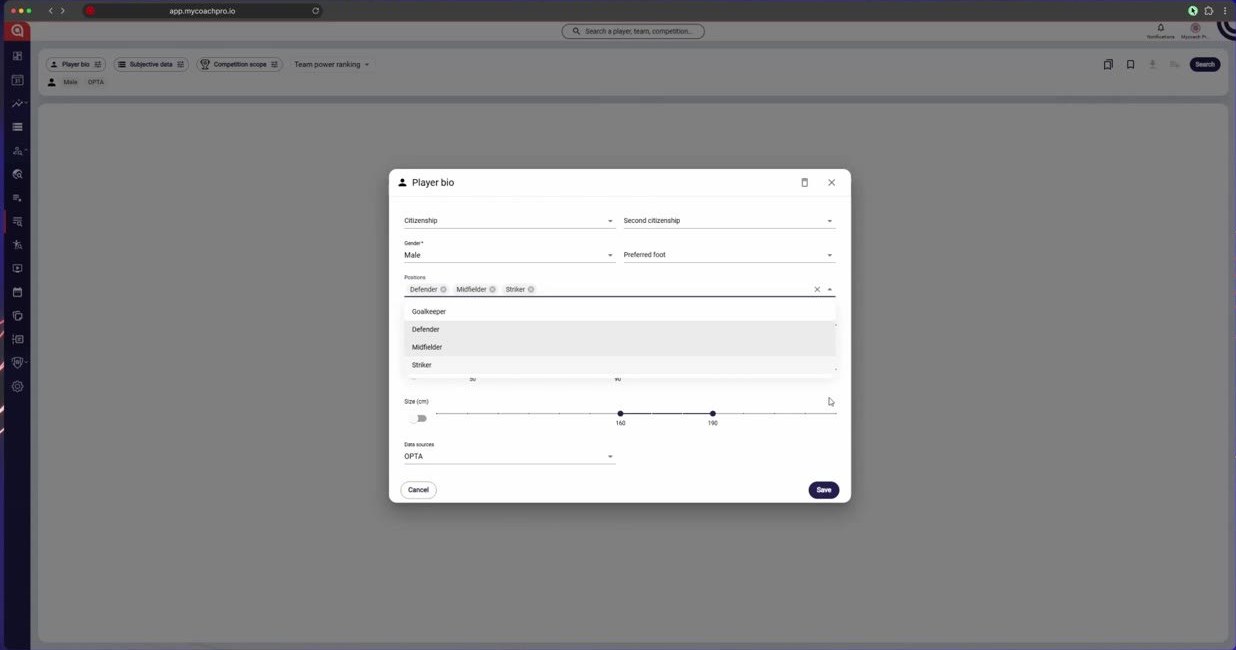
Player bio filter: gender, positions, age, weight, height
-
Subjective data filter: choose a form and a period.
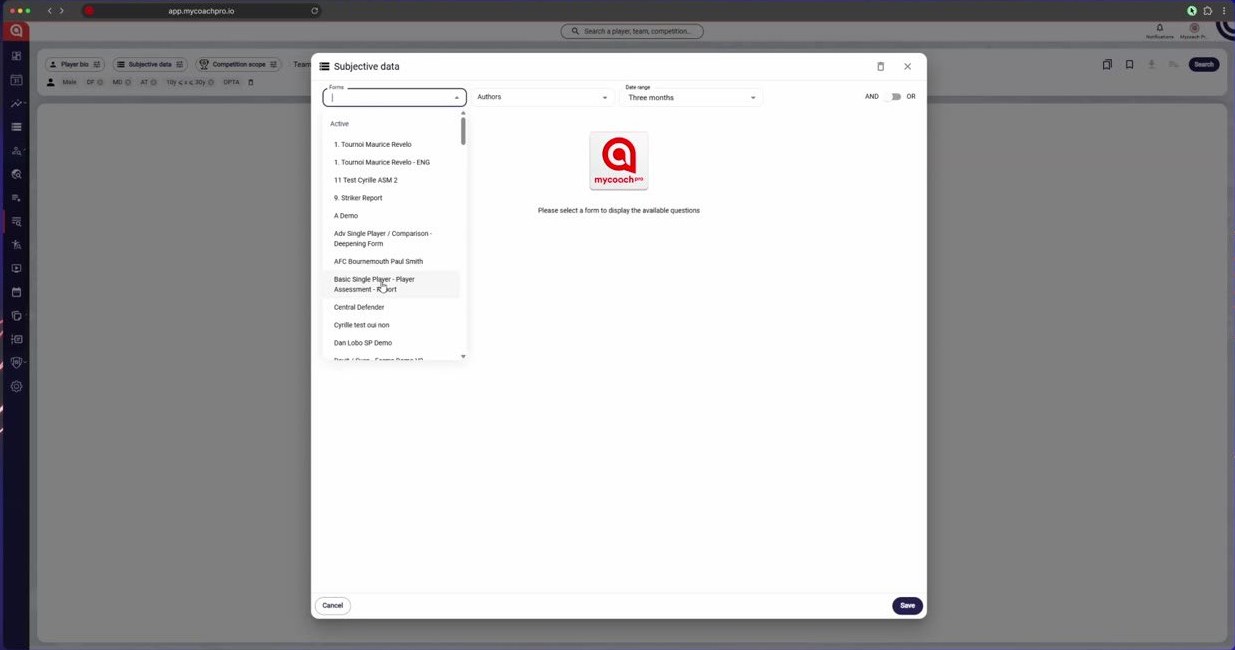
Subjective data filter: choose a form and a period
-
Select a question and the values you are looking for.
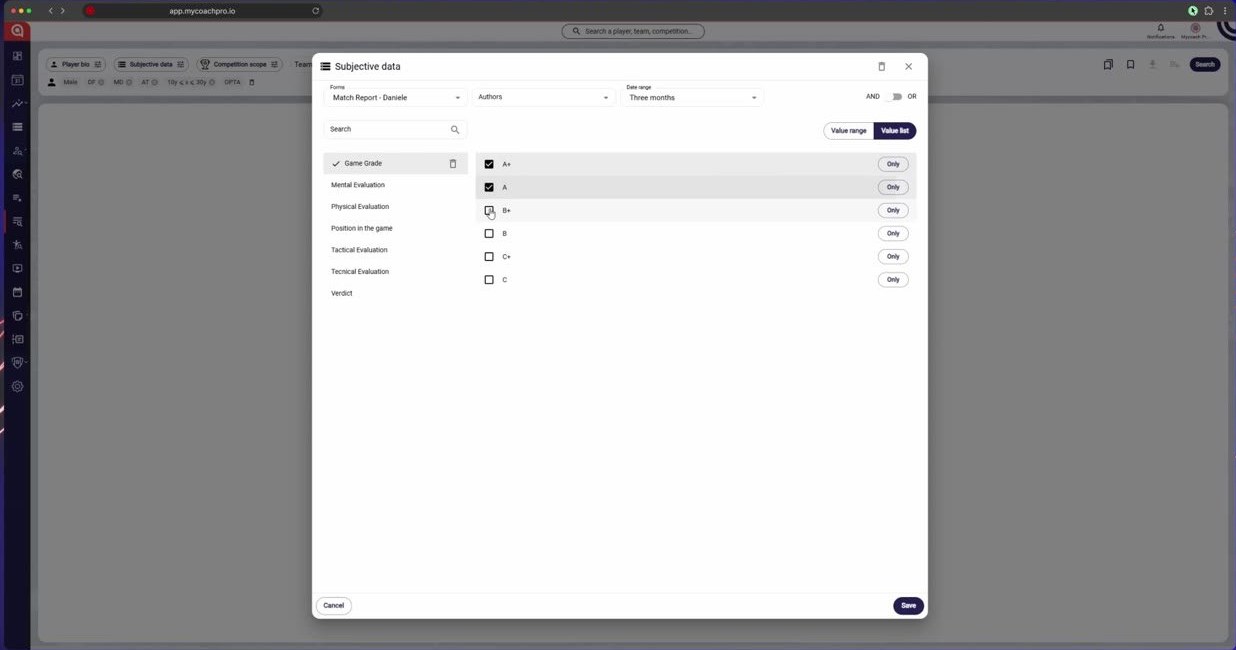
Select a question and the values you are looking for
-
Click Search.
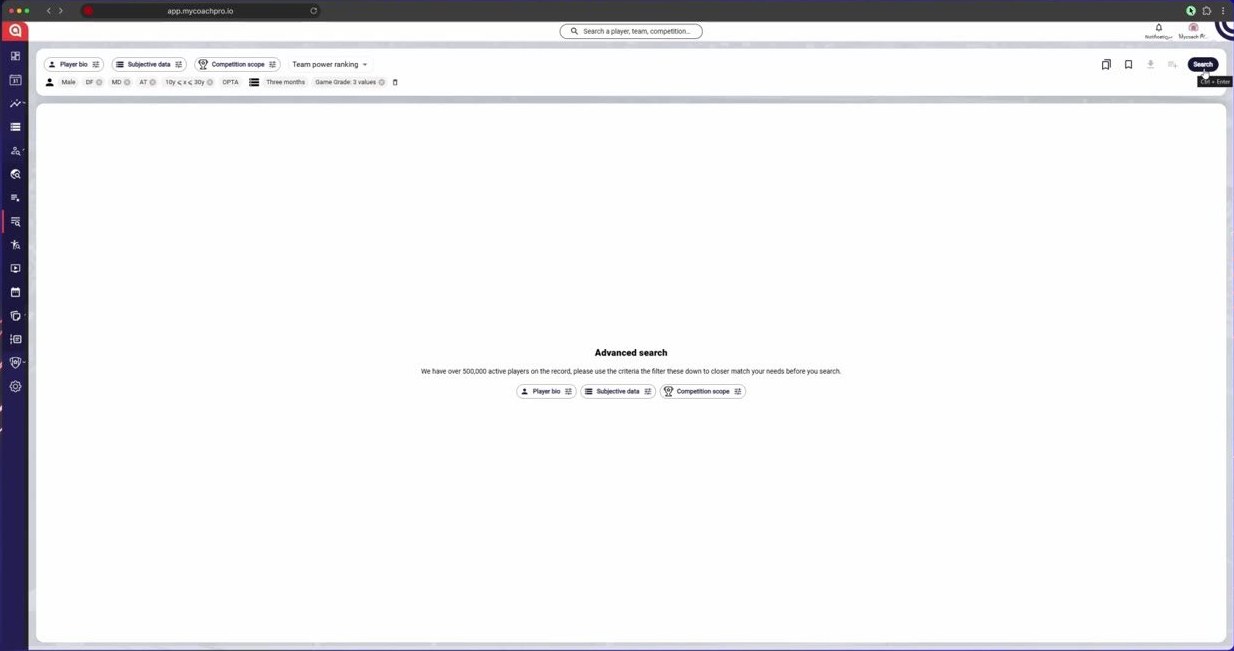
Click Search
-
The players matching your criteria are displayed.
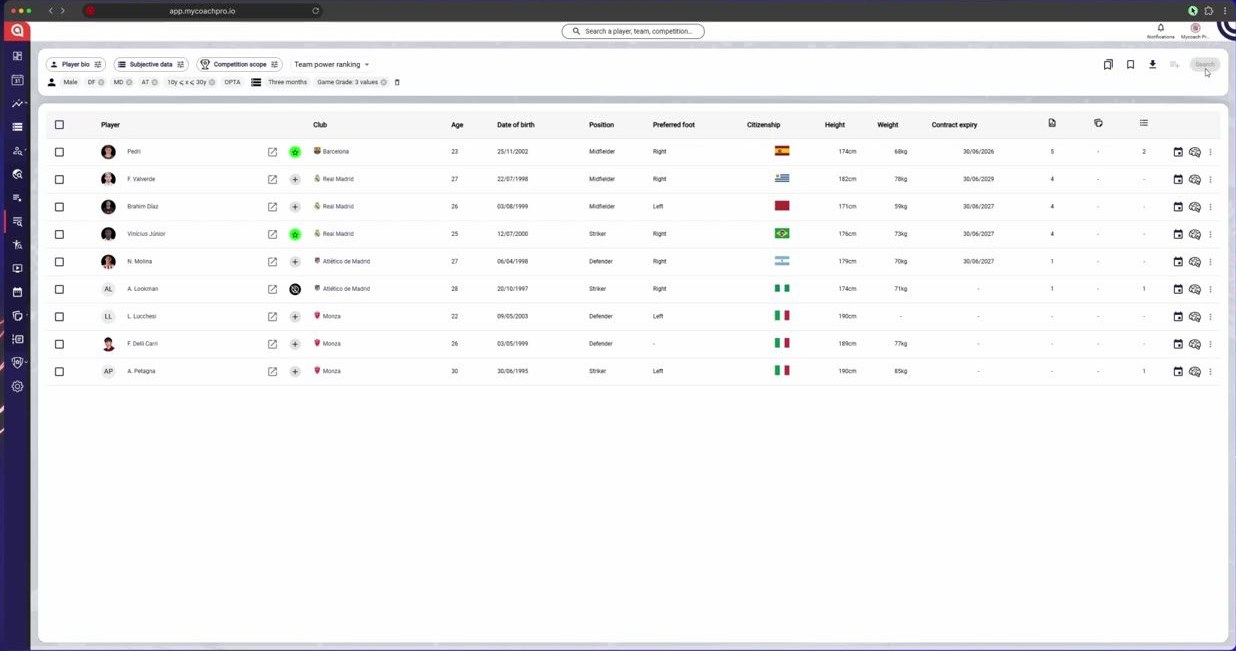
The players matching your criteria are displayed
Need help
Email support@mycoachpro.io with any questions about advanced search.