Duplicate a shortlist
Duplicating creates a copy of an existing shortlist, with its players, to make a new version without changing the original. You start it from the Shortlists page of the Scouting module, using the duplicate icon on the shortlist's row.
When duplicating, you choose:
- the copy's name;
- its sharing;
- its lineup on the pitch.
Who can duplicate a shortlist?
Two profiles can duplicate a shortlist:
- its owner;
- an editor of a shared shortlist.
A user with read-only access cannot duplicate the shortlist.
Duplicate a shortlist step by step
-
Open the Shortlists page of the Scouting module.
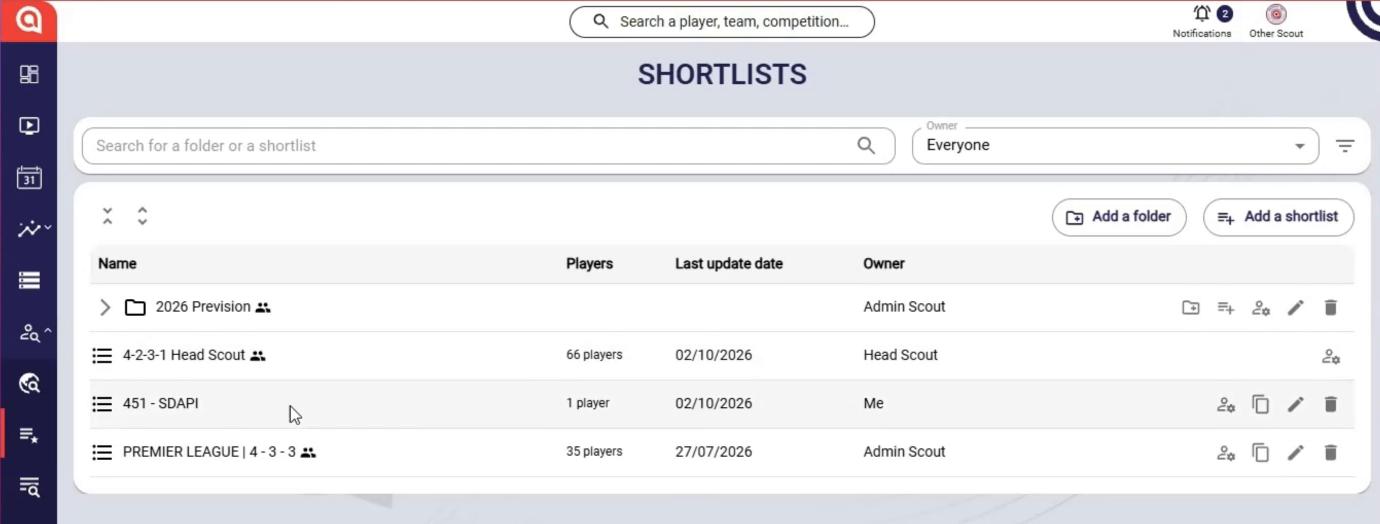
The Shortlists page of the Scouting module
-
On the shortlist's row, click the duplicate icon. The Duplicate the shortlist window opens.
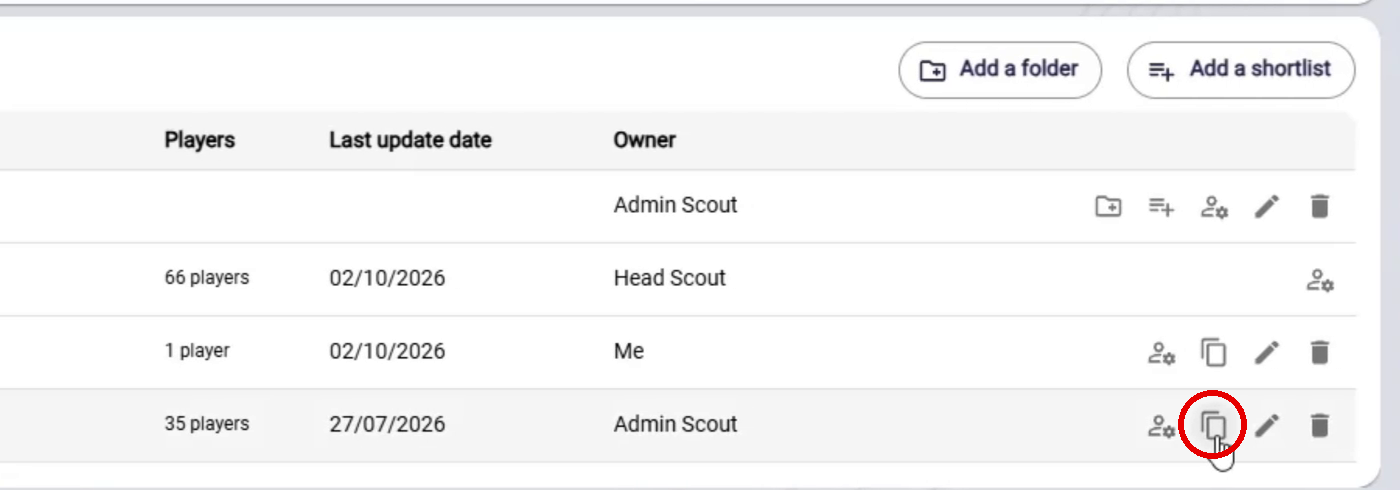
The duplicate icon on the shortlist's row
-
In the Shortlist name field, enter the copy's name. By default, the suggested name is the same as the original's.
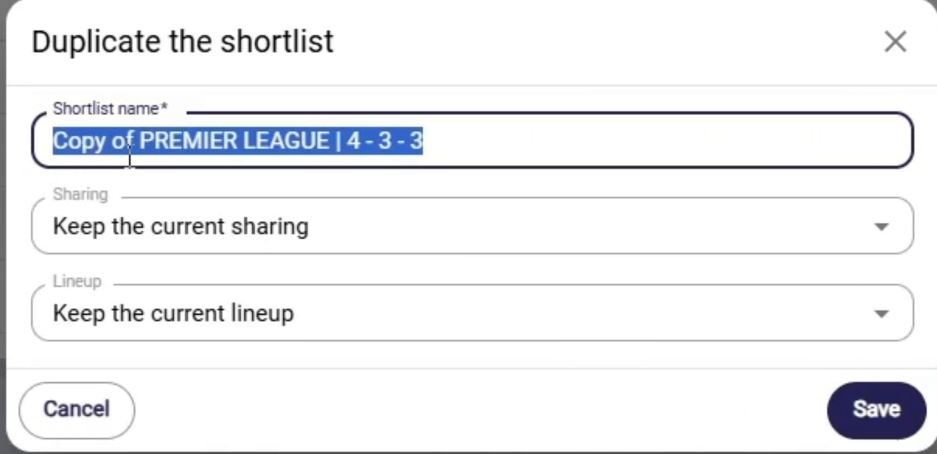
The Duplicate the shortlist window
-
In the Sharing field, choose the copy's sharing (see Choose sharing for the copy).
-
In the Lineup field, choose what happens to the lineup on the pitch (see Choose the lineup on the pitch).
-
Click Save. A message confirms that the shortlist has been duplicated.
Choose sharing for the copy
The Sharing field offers two options.
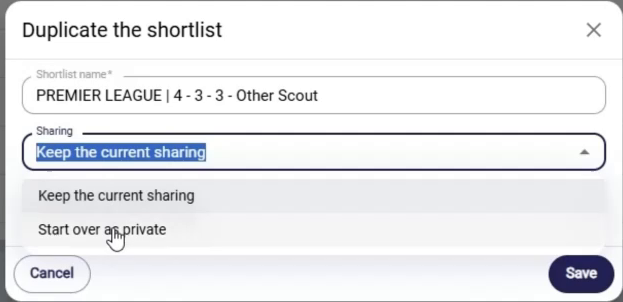
The sharing options
| Option | Effect on the copy |
|---|---|
| Keep the current sharing | The original's sharing is carried over. If an editor duplicates, they become the owner of the copy; the original's owner keeps edit access to it and the other users from the original sharing are also kept. |
| Start over as private | The copy starts without sharing. |
Choose the lineup on the pitch
The Lineup field determines what happens to the position-linked categories on the pitch.
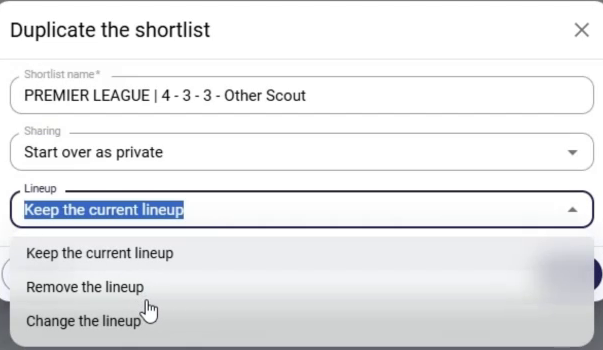
The lineup options
| Option | Effect on the copy |
|---|---|
| Keep the current lineup | Full copy of the shortlist. |
| Remove the lineup | The position-linked categories become unlinked from the pitch. |
| Add a lineup (if the original had none) | Existing categories stay off the pitch and new pitch-linked categories are added, without players. |
| Change the lineup | The old pitch-linked categories become unlinked and the new categories are linked to the new lineup. |
After duplicating
The copy appears in the list of shortlists, with today's date as its last update.
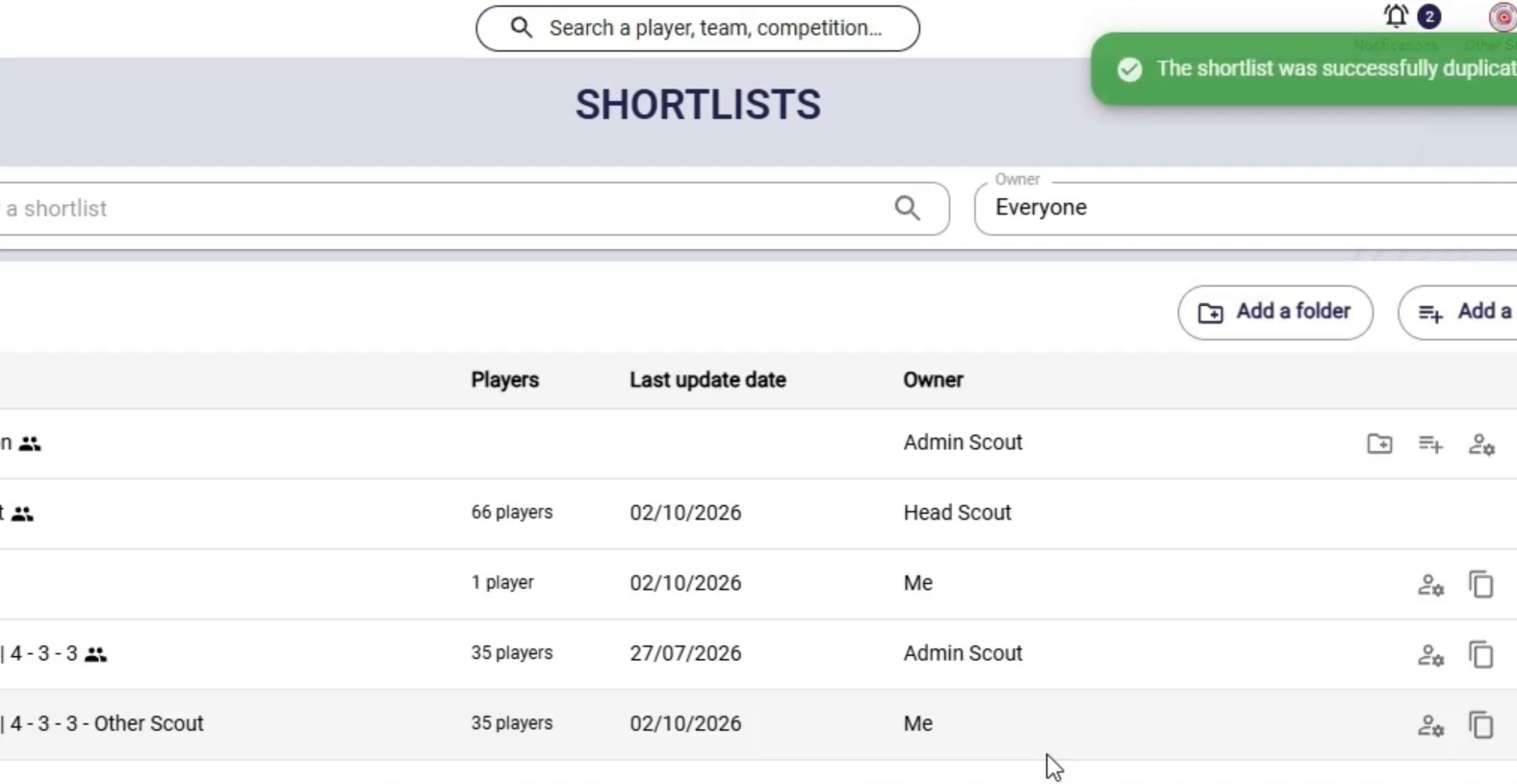
The copy in the list, with the confirmation message
Click it to open it: the original's players are carried over, distributed according to the lineup option you chose. You can then edit it like any other shortlist.
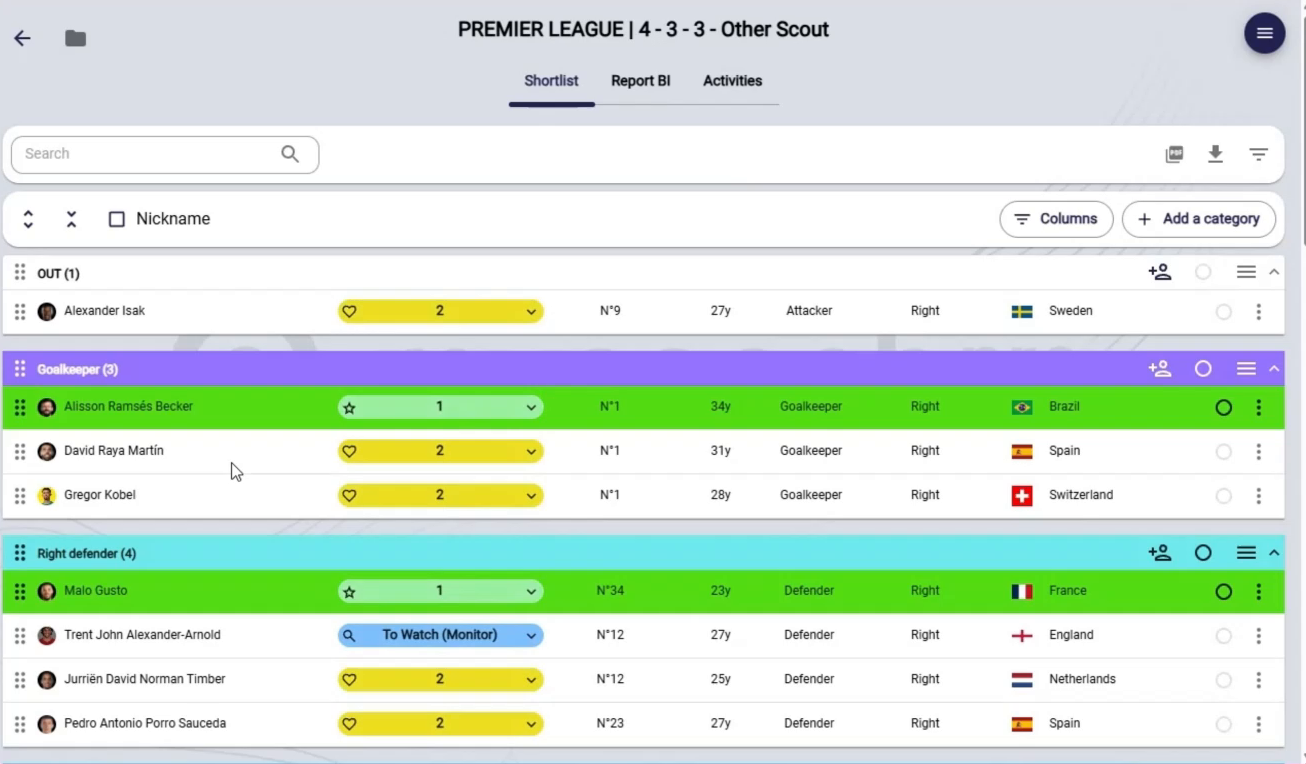
The copy opened
Need help
Email support@mycoachpro.io with any questions about duplicating shortlists.