Cycle & contraception
Record a female patient's menstrual cycle and contraception directly in a pathology, using the Cycle & contraception section.
Only people with the Medical role, and therefore the ability to create pathologies, see these fields, when creating a pathology and in the pathology detail.
Open the Cycle & contraception section
-
From the patient record or the patient list, click Add a pathology for a female patient.
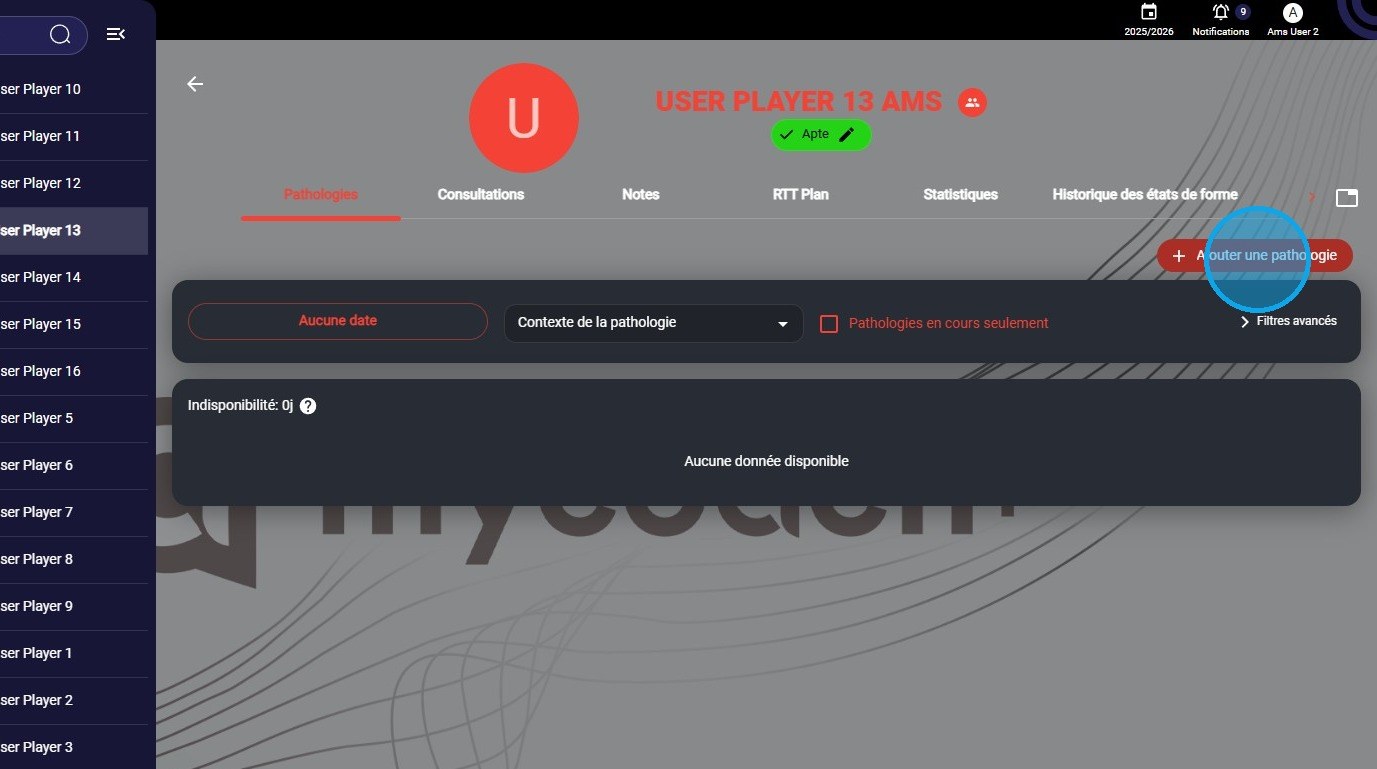
The Add a pathology button
-
For a female patient, the Cycle & contraception section appears at the bottom of the form, just before the comments.

The Cycle & contraception section
Fill in the cycle and contraception
-
The section contains four fields: Contraceptive treatment, Comment, Estimated phase and Cycle day (relative to the LMP).
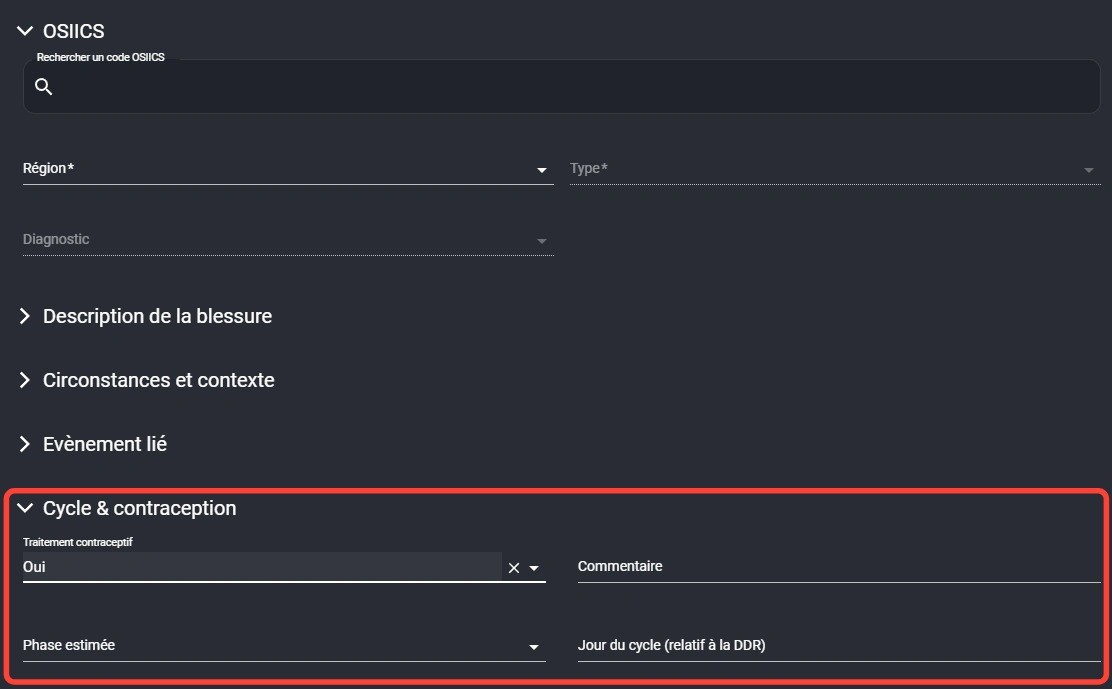
The Cycle & contraception section fields
-
Fill in these fields if needed.

Entering the cycle information
-
Once the pathology is complete, click Save as usual, then add documents if needed.

Saving the pathology
View the information
-
Find this information in the pathology detail, in the Cycle & contraception section.
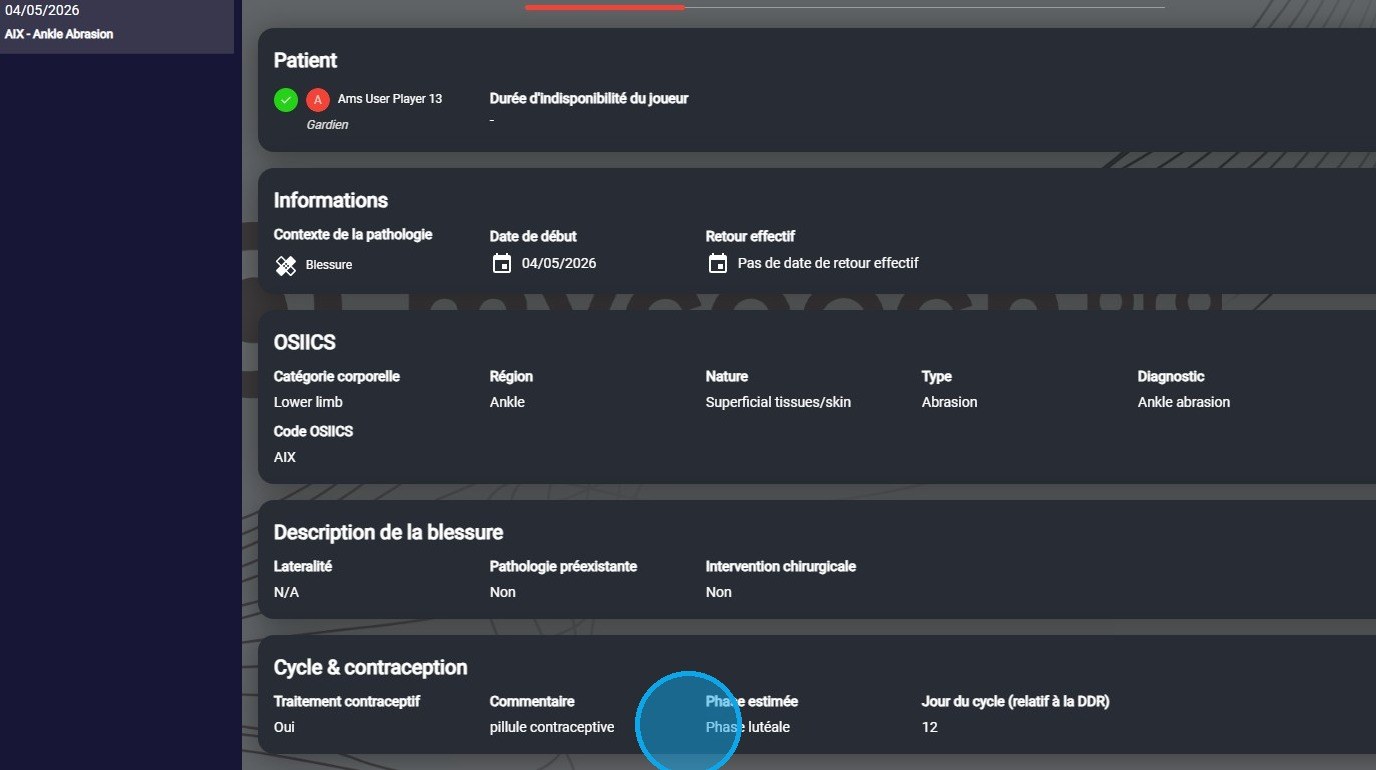
The pathology detail
VisibilityThis information is only visible to people with the Medical role.
To learn more about pathologies, see the Pathologies page.
Need help
Email support@mycoachpro.io with any questions about cycle and contraception tracking.